
• Hi All

    Please note that at the Chandoo.org Forums there is Zero Tolerance to Spam

    Post Spam and you Will Be Deleted as a User

    Hui...

  • When starting a new post, to receive a quicker and more targeted answer, Please include a sample file in the initial post.

Vlookup error.

satish Sanhotra

New Member
Hi Chandoo,

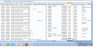
I am facing an error after apply the vlookup. when i mapped the Data range with another data in different sheet in same workbook i get some mapped and unmapped data. but when i apply filter to select the unmapped data i not getting the unmapped data. for your reference i attached the screen shotVlookup error#2.png Vlookup error#3.png Vlookup error.png Vlookup error#2.png Vlookup error#3.png Vlookup error.png Vlookup error#2.png Vlookup error#3.png Vlookup error.png Vlookup error#2.png Vlookup error#3.png Vlookup error.png Vlookup error#2.png Vlookup error#3.png Vlookup error.png Vlookup error#2.png Vlookup error#3.png Vlookup error.png
 
Hi Satish,

You can see only 10,000 unique items under filter. And #N/A error will come in the last, so if the numbers are more than 10,000 unique entries you will not be able to see them in filters.

Regards,
 
From the formula which is visible in snaps, it seems you have not locked the table array, in the formula. Click on first formula say in S2, select table_array argument and press F4 to lock it. You will see $ sign in there and then copy down. That might solved the problem.

Regards,
 
Hi Somendra,

Category Count
Callable 17656
DND 11163
Repeated Number 2371
Duplicate With Previous Data 583
Invalid 4
Total 31777

I have total data 31777 and from which i mapped 17656 number rest comes in #N/A error as not mapped but i can't find the #N/A Data in the end of filter
 
Hi Somendra,

Category Count
Callable 17656
DND 11163
Repeated Number 2371
Duplicate With Previous Data 583
Invalid 4
Total 31777

I have total data 31777 and from which i mapped 17656 number rest comes in #N/A error as not mapped but i can't find the #N/A Data in the end of filter
Anything above 10,000 will not be shown.

Regards,
 
Yes i not lock table array. but early it is get done from same formula. from different sheet. doing different task of vlookup. tell me any trick to reduce the the excel file size so that i upload the sample file
 
Thanks SM And Deepak For your Valuable Support :):). Cause is exactly that my data is vast then 10000 and 10000 data is mapped so it shows only 10000 in filter. Is there is any other option to handle large data and do same operation. I also try to Upload file and same will be shared.
 
Hi Satish,

In this formula your table array range is going down while pasting the vlookup formula.

Use "$" in table_array.

regards,
Daya
 
Back
Top