• Hi All

    Please note that at the Chandoo.org Forums there is Zero Tolerance to Spam

    Post Spam and you Will Be Deleted as a User

    Hui...

  • When starting a new post, to receive a quicker and more targeted answer, Please include a sample file in the initial post.

Transpose (multiple columns to one column)

Rik Smith

New Member
Good evening,

I'm using Office 2007, I have attached a file with the original data in sheet 1 and I would like to put that data in the format shown on sheet 2. I tried a lot of functions such as transpose and index but cant seem to automate this function. I tried to do a macro but was getting nowhere.

The attached file is a small section of a large database.

Can someone help me please.

Thanks
 

Attachments

Hi
Hi Rik ,

See this file.

You will have to define the named ranges which have been used in the formulae.

Narayan


Hi Narayan,

I am going to be doing some calculations on the data in the format you created on sheet2 but after processing this data I need to bring it back to the original format on sheet1.

Your help would be greatly appreciated again.

Thanks
 
Hi Rik,

Here an alternate formula solution, using named range created by Narayan Sir.

In J1 (Sheet2) : =INDEX(rowheaders,INT((ROWS(J$1:J1)-1)/4)+1)
In K1 (Sheet2): =INDEX(colheaders,,MOD(ROWS(K$1:K1)-1,4)+1
In L1 (Sheet2) : =INDEX(data,MATCH(J1,rowheaders,0),MATCH(K1,colheaders,0))

Got confused on your last comment, as your format on sheet2 is derived from source data, so that's means source data will exist even after transposing it, so what do you mean by bringing it back to format of sheet1, it's already there.

Can you explain?

Regards,
 
Hi Rik,

Here an alternate formula solution, using named range created by Narayan Sir.

In J1 (Sheet2) : =INDEX(rowheaders,INT((ROWS(J$1:J1)-1)/4)+1)
In K1 (Sheet2): =INDEX(colheaders,,MOD(ROWS(K$1:K1)-1,4)+1
In L1 (Sheet2) : =INDEX(data,MATCH(J1,rowheaders,0),MATCH(K1,colheaders,0))

Got confused on your last comment, as your format on sheet2 is derived from source data, so that's means source data will exist even after transposing it, so what do you mean by bringing it back to format of sheet1, it's already there.

Can you explain?

Regards,
 
Hi Rik,

Here an alternate formula solution, using named range created by Narayan Sir.

In J1 (Sheet2) : =INDEX(rowheaders,INT((ROWS(J$1:J1)-1)/4)+1)
In K1 (Sheet2): =INDEX(colheaders,,MOD(ROWS(K$1:K1)-1,4)+1
In L1 (Sheet2) : =INDEX(data,MATCH(J1,rowheaders,0),MATCH(K1,colheaders,0))

Got confused on your last comment, as your format on sheet2 is derived from source data, so that's means source data will exist even after transposing it, so what do you mean by bringing it back to format of sheet1, it's already there.

Can you explain?

Regards,


The data on sheet2 that was transposed will be further processed. This processing can only be done using the new format created by Narayan. After the new figures are produced through the further processing I would like the transpose it back to the format shown in sheet1

Hope that's clearer
 
But the data is already on Sheet1 in the reverse transposed form.

Regards,

Look on it from this angle I will be benchmarking the quarterly data to an annual figure hence the values will change. And the new values will be presented to stakeholders in the format on sheet1. The original data on sheet one is jus an indicator to produce the new figures and the benchmarking process required the data to be transposed as was done on sheet2
 
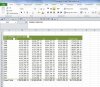
I think the easiest way is to create a Pivot table from the transposed data as shown below. Formulas can do but will be slower in updating than PT.

Capture.JPG


Regards
 
Back
Top