• Hi All

    Please note that at the Chandoo.org Forums there is Zero Tolerance to Spam

    Post Spam and you Will Be Deleted as a User

    Hui...

  • When starting a new post, to receive a quicker and more targeted answer, Please include a sample file in the initial post.

INDIRECT question

PaulF

Active Member
In have a Calculations page and 50+ invoice pages that are almost identical...

I want to calculate on what row a few items start..

Note that invoice worksheet are named 1242, 1243, 1244, etc...

Sheet 1242 Cell: A15 = HARDWARE AND SOFTWARE DESCRIPTION

=MATCH("'HARDWARE*",INDIRECT("'"&1242&"'!"&"A1:A32"))

returns a value of 17

If I change to the 1242 tab and use:

=MATCH("HARDWARE*",A1:A32,0)

returns a value of 15 ** the Correct and desired result - So I know my error above is the match type at the end...

I go back and:

=MATCH("'HARDWARE*",INDIRECT("'"&1242&"'!A1:A32"),0)

returns #N/A

Everywhere I google/look on the web... my syntax seem correct... but by the results :-(

I hope this is a simple fix :-)

Respectfully,
PaulF
 
Paul
remove the single ' before Hardware
=MATCH("HARDWARE*",INDIRECT("'"&1242&"'!A1:A32"),0)

I'll also assume your going to access 1242 from another source
=MATCH("HARDWARE*",INDIRECT("'"&Trim(B1)&"'!A1:A32"),0)
 
That solved my problem :-)

Can I ask an add on question now... How and when in single ' needed within the INDIRECT function ??

PaulF
 
A single ' is only required around worksheet names which are numeric or have a space

Valid
='Sheet 1'!A1
='1234'!A1

Invalid
=Sheet 1!A1
=1234!A1
 
=COUNTA(CONCATENATE(INDIRECT("'"&TRIM(B9)&"'!A"),MATCH("CUSTOMER'S SIG*",INDIRECT("'"&TRIM(B9)&"'!A1:A32"),0)+1),":A",MATCH("SERVICE CHARGES",INDIRECT("'"&TRIM(B9)&"'!A1:A32"),0)-1)

ACK !!! I'm trying to calculate where a 2 rows are so I can count the rows that have data in the middle... I'm LOST :-/

The individual Match commands return the correct rows... but trying to concatenate this way into a counta is caputz !!

Hui... old buddy... I'll send you a Snickers Bar :-)
 
Paul

When I opened the file Constants!F9 showed 3 as there are 3 items on the 1269 sheet

One thing i noted was that the rows A19 and A23 aren't the same on the 1242 sheet? where they are A176 & A21 ?

Isn't 3 correct?
 
Ignore that post

Constants!F9: Change to
=COUNTA(INDIRECT("'"&B9&"'!"&D9&":"&E9))
 
Yes there is a match command to locate the correct window to countif. If you delete any of the values on 1269 in that range the 3 will not change...
 
If you don't want the intermediate cells D9 & E9
I would change F9 to:
=COUNTA(OFFSET(INDIRECT("'"&B9&"'!A1"),MATCH("CUSTOMER'S SIG*",INDIRECT("'"&TRIM(B9)&"'!A1:A32"),0),,4))
 
Putting it all together :-)

=COUNTA(INDIRECT("'"&D9&"'!"&CONCATENATE("A",MATCH("CUSTOMER'S SIG*",INDIRECT("'"&TRIM(D9)&"'!A1:A32"),0)+1)&":"&CONCATENATE("A",MATCH("SERVICE CHARGES",INDIRECT("'"&TRIM(D9)&"'!A1:A32"),0)-1)))
 
Again we post at almost the same time with different solutions :-) I like your solution better...

./bow
 
I had to get rid of all of the sheet and indirect stuff to understand this function:

=COUNTA(OFFSET(A1,MATCH("CUSTOMER'S SIG*",A1:A32,0),,5))

I would not have thought to put this series together... much simpler and effective...
 
This is why explaining the problem is so important here, as simply saying "my formula doesn't work", assumes that the Forumula is an efficient way to do it in the first place.
There are normally 3 or 4 ways to solve most problems in Excel
 
ChandooSS_zps27e927ed.jpg

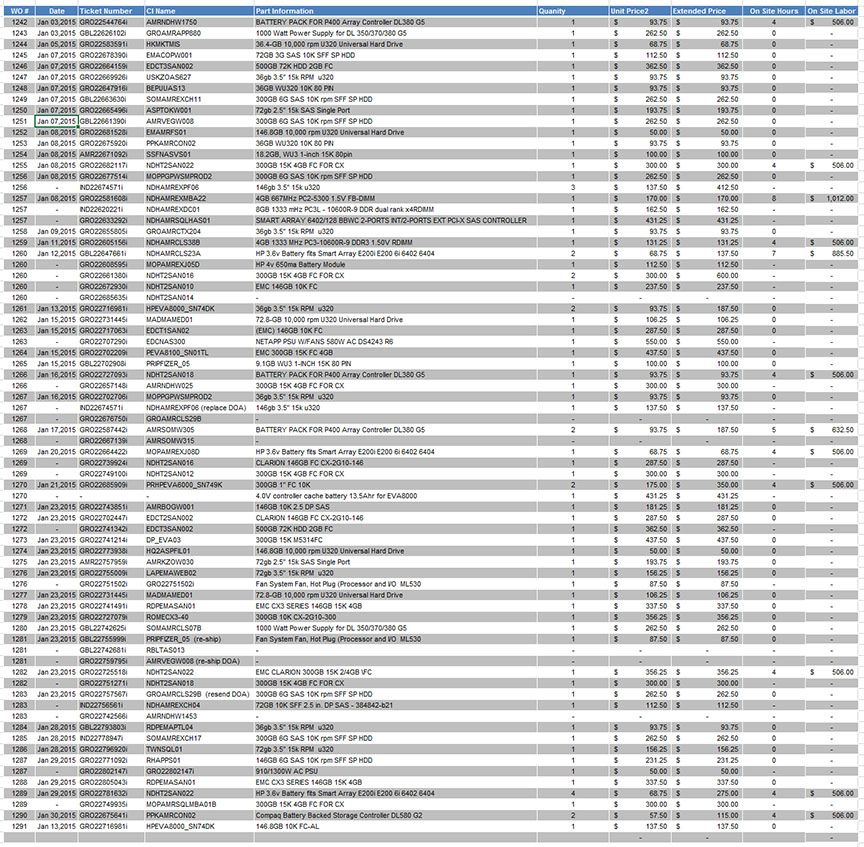
Hui, with 49 invoices on separate tabs I have all of the data being summarized for the start of our Dashboard on this project :)

I could NOT have gotten this far on this one without your help... Reading, translating, and writing INDIRECT functions is as straight forward or oblivious to me yet... but I'm breathing and learning :)

I have it creating multiple lines for the invoices with multiple tickets, servers, and/or parts. There are a couple of hidden helper columns...

Respectfully,
PaulF
 
Back
Top