
You are using an out of date browser. It may not display this or other websites correctly.
You should upgrade or use an alternative browser.
You should upgrade or use an alternative browser.
Expanded dropdown
- Thread starter Kyrre
- Start date


Smallman
Excel Ninja
Kyrre
If I read your post correctly, you want to extend the Data Validation list past 8 items. This is a default from Excel and as far as I know this can not be extended. You will need to use a combo box if you want more of the items to show from your list.
Take care
Smallman
If I read your post correctly, you want to extend the Data Validation list past 8 items. This is a default from Excel and as far as I know this can not be extended. You will need to use a combo box if you want more of the items to show from your list.
Take care
Smallman

Kyrre
Member
Kyrre
Your Excel file shows all the items in the list already?
Can you please explain the problem better
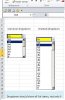
Thanks. Yes, the left one is real dropdown, as is in excel. The rigth one is photoshoppet (paint) the way I want it to be. And if list items have 40 items, I want to show all of them at det same time.
Kyrre
Member
Kyrre
If I read your post correctly, you want to extend the Data Validation list past 8 items. This is a default from Excel and as far as I know this can not be extended. You will need to use a combo box if you want more of the items to show from your list.
Take care
Smallman
I think you are correct, but I hope not

Smallman
Excel Ninja
Data validation can not be extended past 8. You have to look at alternatives I am afraid. These can be as complex or as simple as would like but the thing to remember is you need to maintain them. I would put a form combo box in and make the dropdown lines as long as you wish.
Take care
Smallman
Take care
Smallman
NARAYANK991
Excel Ninja
Hi ,
Have you checked the Excel Options , where under Advanced , there is a checkbox :
Enable AutoComplete for cell values
Narayan
Have you checked the Excel Options , where under Advanced , there is a checkbox :
Enable AutoComplete for cell values
Narayan
Kyrre
Member
YEs it is activated.Hi ,
Have you checked the Excel Options , where under Advanced , there is a checkbox :
Enable AutoComplete for cell values
Narayan
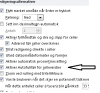
However , I found a own list function there. Must test that i bit.
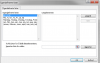
Maybe I could update my list in this function?
NARAYANK991
Excel Ninja
Hi ,
It is worth trying ; I have not tried it myself , so I cannot say.
Narayan
It is worth trying ; I have not tried it myself , so I cannot say.
Narayan
NARAYANK991
Excel Ninja
Hi ,
Thanks for the link.
Narayan
Thanks for the link.
Narayan
Kyrre
Member
I have made an easy understanding sheet to show this combo-box. It could easy be adjusted and expanded with a little effort. I saw an example where it is possible to write in the box, but it had a bug- so I trashed it. If someone have a working example sheet with that function- please post it