Kumar@raja
Member
Hi Somendra, Narayan and Other Friends,
I have a query regarding Index and Match Function; hence request you all kindly help me out.
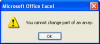
When using the Index+ Match Function for multiple criteria I will be getting #N/A as result, as soon as I enter Ctrl+Shift+Enter then function is working correctly. Further, the formula is not allowing to copy more than one row, whereas we can copy other formulas to following rows until we need the result with a singly click. Here, it is not working and allowing more than one cell and every time need to enter Ctrl+Shift+Enter against corresponding cell.
My query is, If the data is sizable it may consumes good amount of time. Hence, please let me know how we can copy the Index+ Match formula likewise other formulas to complete the work fatly.
Your Kind views in this regard would be greatly appreciated.
Regards,
Kumar
I have a query regarding Index and Match Function; hence request you all kindly help me out.
When using the Index+ Match Function for multiple criteria I will be getting #N/A as result, as soon as I enter Ctrl+Shift+Enter then function is working correctly. Further, the formula is not allowing to copy more than one row, whereas we can copy other formulas to following rows until we need the result with a singly click. Here, it is not working and allowing more than one cell and every time need to enter Ctrl+Shift+Enter against corresponding cell.
My query is, If the data is sizable it may consumes good amount of time. Hence, please let me know how we can copy the Index+ Match formula likewise other formulas to complete the work fatly.
Your Kind views in this regard would be greatly appreciated.
Regards,
Kumar