• Hi All

    Please note that at the Chandoo.org Forums there is Zero Tolerance to Spam

    Post Spam and you Will Be Deleted as a User

    Hui...

  • When starting a new post, to receive a quicker and more targeted answer, Please include a sample file in the initial post.

What are some probable causes that Excel drags

I have numerous spreadsheets and I am curious what others may check when they have issues with simple copy and paste that takes almost 4 minutes to complete its task. An example is when I tried to copy 2 rows x 5 columns it took almost 4 minutes to complete. No conditional formatting, just simple copy and paste. If I wanted to insert or delete a column, it took almost 3 minutes. But this only happens on certain spreadsheets. I can open another one the same size, same everything (I think) and its lightening speed.

What would you all check for if this happens?

Thanks
 
Few things comes to mind.

1. Does the workbook have volatile function (such as OFFSET, Today() etc) that has multi-layer dependency?
2. Is multi-threaded calculation turned on?
3. What other programs are running in background? (Check Task Manager)
 
Few things comes to mind.

1. Does the workbook have volatile function (such as OFFSET, Today() etc) that has multi-layer dependency?
2. Is multi-threaded calculation turned on?
3. What other programs are running in background? (Check Task Manager)

1. I'm running some ARRAYS others are formulas
2. It's on auto calculate
3. Nothing else is really running in the back ground. Even brought it up in safemode

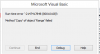
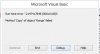
I finally received an error after it running for hours
 
@Jack-P-Winner

That error code usually occurs when Object has disconnect with the clients (whatever object model invoked in Excel in this case).

See link below, it may help.
https://support.microsoft.com/en-us/kb/186063

Without knowing your full code it's just a guess...
But see if in any of ranges in your code refer to Column in small case (ex: b instead of B). It can cause issues.
 
@Jack-P-Winner

That error code usually occurs when Object has disconnect with the clients (whatever object model invoked in Excel in this case).

See link below, it may help.
https://support.microsoft.com/en-us/kb/186063

Without knowing your full code it's just a guess...
But see if in any of ranges in your code refer to Column in small case (ex: b instead of B). It can cause issues.

Thank you and I will check the lin out. This is the error I received while running a Macro. I have never received one for a simple cut and paste on a lock up. Here is the macro

Code:
Sub ResetBackToGame()
Dim d As Double:
    d = Application.WorksheetFunction.CountIf([i2:i101], "?")
Dim i As Integer:
    'make sure user entered positive number 1 to 50 into Q5
    If IsEmpty(Range("Q5")) _
    Or Range("Q5") < 1 _
    Or Range("Q5") > 50 Then
        'do nothing if is empty or value not between 1 and 50, inclusive
        Exit Sub
    End If
    i = 50 - [q5]
    Application.ScreenUpdating = False
    [I2:N101].Copy Cells(3 + i - d, 9) 'copies I2:O101 to position (3+i-d) rows down.
    Range("i2", Cells(2 + i, 15)) = "?" 'puts ? in I2 over & down to cleared row in N.
    [i102:n152].CLEAR: [q5].ClearContents
    Application.ScreenUpdating = True 'not required, auto-resets to True at End Sub or Exit Sub
End Sub
 
Hmm, I don't see any issue with the code and can run it fine on my end.

It's likely memory leak issue and/or calculation eating too much resource.

Have the Task manager up while you run code or while doing copy paste that's causing issue. Go to Performance tab and launch "Resource Monitor". Observe what process is eating up your memory and CPU.

Also, try setting calculation to manual mode, do your operation, then set it back to auto/calculate now and see what happens.

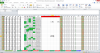
Lastly, go to File->Options->Advanced and set Formlas section to something like below (if not already done).
upload_2015-11-9_14-38-26.png
 
Hmm, I don't see any issue with the code and can run it fine on my end.

It's likely memory leak issue and/or calculation eating too much resource.

Have the Task manager up while you run code or while doing copy paste that's causing issue. Go to Performance tab and launch "Resource Monitor". Observe what process is eating up your memory and CPU.

Also, try setting calculation to manual mode, do your operation, then set it back to auto/calculate now and see what happens.

Lastly, go to File->Options->Advanced and set Formlas section to something like below (if not already done).
View attachment 24029


I will try all that you suggest and thank you for your assistance with this
 
Back
Top