

You are using an out of date browser. It may not display this or other websites correctly.
You should upgrade or use an alternative browser.
You should upgrade or use an alternative browser.
Workbook Reference
- Thread starter KishorKK
- Start date


charlesdh
Member
Kishore,
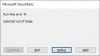
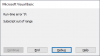
Any time that you are referencing a workbook you need to make sure the code runs against the desired workbook. If it needs to look at a workbook that is not open you must open that workbook. Ie:
Any time that you are referencing a workbook you need to make sure the code runs against the desired workbook. If it needs to look at a workbook that is not open you must open that workbook. Ie:
Code:
''' the workbook you need to work on must be in the same file/path as the     ''workbook that the code is in'''
Workbooks.Open Filename:=ThisWorkbook.Path & "\Schedule.xls"
ActiveWorkbook.Sheets(1).Range("A1:D10").Value = "Test"