
You are using an out of date browser. It may not display this or other websites correctly.
You should upgrade or use an alternative browser.
You should upgrade or use an alternative browser.
Why do DV drop down arrows disappear when images are linked to named ranges?
- Thread starter Marcy
- Start date


Marcy
New Member
Thank you for responding, but your recommended solution does not appear to work. Please download the file in this tutorial and click on the dropdown arrow to see what I mean: http://chandoo.org/wp/2008/11/05/select-show-one-chart-from-many/
NARAYANK991
Excel Ninja
Hi Marcy ,
Do you face this problem with the downloaded file as it is , without modifying it in any way ?
I did what you mentioned , and I don't face any problem ; the DV arrow remains.
I have tried it in Excel 2010.
Narayan
Do you face this problem with the downloaded file as it is , without modifying it in any way ?
I did what you mentioned , and I don't face any problem ; the DV arrow remains.
I have tried it in Excel 2010.
Narayan

In 2013 (I assume you are using 2013)
Select Cell C2
The Dropdown arrow will flash on/off, as you stated
Then click in cell D2 next to C2 where the arrow would be if you could see it
(in the red circled area)
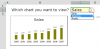
Voila
Even though the dropdown arrow isn't visible it is still there
Don't click too far across in D2 or else you'll miss it
Select Cell C2
The Dropdown arrow will flash on/off, as you stated
Then click in cell D2 next to C2 where the arrow would be if you could see it
(in the red circled area)
Voila
Even though the dropdown arrow isn't visible it is still there
Don't click too far across in D2 or else you'll miss it
Marcy
New Member
Narayan, yes, I did not modify the Workbook at all.
Hui, I using Excel 2013 and am aware that the dropdown arrow is still there. My issue pertains to why the dropdown arrow flashes on and off and what I can do to prevent it and have the dropdown arrow show whenever the cell is selected. In addition, the issue appears to be resolved sometimes, as in my other 2013 files, the dropdown arrow is there when selected all the time.
Hui, I using Excel 2013 and am aware that the dropdown arrow is still there. My issue pertains to why the dropdown arrow flashes on and off and what I can do to prevent it and have the dropdown arrow show whenever the cell is selected. In addition, the issue appears to be resolved sometimes, as in my other 2013 files, the dropdown arrow is there when selected all the time.
You may want to have a read of
http://www.contextures.com/xlDataVal08.html
About half way down there is a section called
Excel 2013 Windows 8
and a small video below it
It didn't help with the file you linked before and so is possibly a bug
http://www.contextures.com/xlDataVal08.html
About half way down there is a section called
Excel 2013 Windows 8
and a small video below it
It didn't help with the file you linked before and so is possibly a bug