• Hi All

    Please note that at the Chandoo.org Forums there is Zero Tolerance to Spam

    Post Spam and you Will Be Deleted as a User

    Hui...

  • When starting a new post, to receive a quicker and more targeted answer, Please include a sample file in the initial post.

VBA CODED SOLVER : ERROR MESSAGE

DAGUET

Member
Dear VBA Experts,
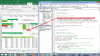
I have been working on this portfolio optimization for a while and everything went fine until I decided to prompt Solver from VBA and determining a constraint. When activated, this constraint cant execute and produce an error message (see attached). this specifically happens when I click on the 'CREATE EFFICIENT FRONTIER' button.
Any help or explanation where that could come from?
Thanks and Best Regards
 

Attachments

  • Solver EF 1.xlsm
    Solver EF 1.xlsm
    129.6 KB · Views: 5
  • VBA Error.png
    VBA Error.png
    211.8 KB · Views: 6
  • snip_20171126175500.png
    snip_20171126175500.png
    129 KB · Views: 5
Change the : Sub SolverStDev()
To:
Code:
Function SolverStDev()

' SolverStDev Macro
' Solver Min Standard Dev
'
' Keyboard Shortcut: Ctrl+Shift+D
SolverOk SetCell:="$C$48", MaxMinVal:=2, ValueOf:=0, ByChange:="Weights", _
  Engine:=1, EngineDesc:="GRG Nonlinear"
  SolverAdd CellRef:="SumWeights", Relation:=2, FormulaText:="1"
  SolverAdd CellRef:="Weights", Relation:=3, FormulaText:="0"
  SolverAdd CellRef:="$B$48", Relation:=2, FormulaText:="TargetReturn"
SolverOk SetCell:="$C$48", MaxMinVal:=2, ValueOf:=0, ByChange:="Weights", _
  Engine:=1, EngineDesc:="GRG Nonlinear"
   
  SolverStDev = Application.Run(SolverSolve, True)
End Function
 
Hui
as always great job from you
many many thanks it works
I appreciate a lot
warmful day to you
all the best

Change the : Sub SolverStDev()
To:
Code:
Function SolverStDev()

' SolverStDev Macro
' Solver Min Standard Dev
'
' Keyboard Shortcut: Ctrl+Shift+D
SolverOk SetCell:="$C$48", MaxMinVal:=2, ValueOf:=0, ByChange:="Weights", _
  Engine:=1, EngineDesc:="GRG Nonlinear"
  SolverAdd CellRef:="SumWeights", Relation:=2, FormulaText:="1"
  SolverAdd CellRef:="Weights", Relation:=3, FormulaText:="0"
  SolverAdd CellRef:="$B$48", Relation:=2, FormulaText:="TargetReturn"
SolverOk SetCell:="$C$48", MaxMinVal:=2, ValueOf:=0, ByChange:="Weights", _
  Engine:=1, EngineDesc:="GRG Nonlinear"
  
  SolverStDev = Application.Run(SolverSolve, True)
End Function
 
Back
Top