Hi everyone, I work for a wine company. We have the ability to sell wine at different prices based on the quantity purchased. We may sell one brand at let's say 5 different prices. The distributor we sell to will make different margins on each different price. To calculate their blended margin, we need to know how much they sell at each different price. Some are forthcoming with this information and some are not. I have data on what they sell and which retail accounts they sell it to. Let me take a step back -- alcoholic beverages are sold in a 3 tier system. I work for the supplier - the company that makes the wine. We sell to a distributor who then sells to the local retail store or restaurant. Distributors send us data on how many cases they sell to each retail store or restaurant. That is the data I am working with.
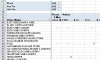
So I tried a few different ways to look at this. The attached file is where I ended up. The data tab shows how many cases they sold by month by account. I added columns I:Z to show the case quantities available with a sumif formula. The case quantities they can buy in are in I1:Z1.
Here is the problem -- sometimes they will buy across multiple sizes to get to that said quantity and the sumif formula is only looking at the data on one row. They could buy 50 cases of Brand 1 in the 750 size and 50 cs of Brand 1 in the 1.5L size. It will sum each into the 50 cs column, but it really belongs in the 100 cs column.
FYI - off premise means all retail accounts and on-premise means restaurants. You have a glass of wine "on-premise" at the restaurant vs. taking it "off premise" when you buy it at the corner store.
What I really want is this entire sumif section to be applied to the Pivot table, but I can't seem to figure out how to make that work.
All the case counts at each level show for each month. I don't need that data so I hid those columns.
Appreciate you taking a look at this!
So I tried a few different ways to look at this. The attached file is where I ended up. The data tab shows how many cases they sold by month by account. I added columns I:Z to show the case quantities available with a sumif formula. The case quantities they can buy in are in I1:Z1.
Here is the problem -- sometimes they will buy across multiple sizes to get to that said quantity and the sumif formula is only looking at the data on one row. They could buy 50 cases of Brand 1 in the 750 size and 50 cs of Brand 1 in the 1.5L size. It will sum each into the 50 cs column, but it really belongs in the 100 cs column.
FYI - off premise means all retail accounts and on-premise means restaurants. You have a glass of wine "on-premise" at the restaurant vs. taking it "off premise" when you buy it at the corner store.
What I really want is this entire sumif section to be applied to the Pivot table, but I can't seem to figure out how to make that work.
All the case counts at each level show for each month. I don't need that data so I hid those columns.
Appreciate you taking a look at this!