Private Sub cmbSearch_Click()
Dim sat
Dim s As Long
Dim deg1 As String
Dim deg2 As String
Dim ctrl As Control [COLOR=rgb(65, 168, 95)][B]'To fix error, I added this...[/B][/COLOR]
Sheets("Master").Activate
Application.ScreenUpdating = False
If txtSearch.Value = "" Then
MsgBox "Please enter a value", vbExclamation
txtSearch.SetFocus
Exit Sub
End If
If cboSearchItem.Value = "" Or cboSearchItem.Value = "-" Then
MsgBox "Choose a Filter Field", vbExclamation, ""
cboSearchItem.SetFocus
Exit Sub
End If
For Each ctrl In Me.Controls
If TypeName(ctrl) = "TextBox" Then
ctrl.Value = ""
End If
Next ctrl
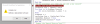
[COLOR=rgb(65, 168, 95)][B]'To fix error, I removed this>>>[/B][/COLOR]For a = 1 To 120         'Clear textboxes(1-120)
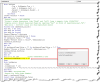
[B][COLOR=rgb(65, 168, 95)]'To fix error, I removed this>>>[/COLOR][/B]Controls("textbox" & a) = "" '***************RUNTIME ERROR 80070057: COULD NOT FIND SPECIFIED OBJECT*********************
[B][COLOR=rgb(65, 168, 95)]'To fix error, I removed this>>>[/COLOR][/B]Next
With lstMaster
With lstMaster
.Clear
.ColumnCount = 120
.ColumnWidths = "70;70;70;70;70;70;70;35;35;70;70;70;70;70;70;70;70;85;35;70;70;70;85;70;70;70;70;70;35;35;70;70;70;35;35;70;35;35;70;70;35;70;35;35;35;35;35;70;70;70;70;70;70;70;70;70;70;70;70;70;70;70;70;85;70;70;70;70;70;70;70;70;70;70;70;70;70;70;70;70;70;70;85;70;35;70;70;70;70;70;35;35;35;35;35;70;70;70;70;35;70;70;70;70;35;35;35;70;35;70;70;70;70;70;70;70;70;70;70;70"
End With
Call Main 'Progress Bar
'Search for Shop Order Number'
deg2 = txtSearch.Value
Select Case cboSearchItem.Value
Case "Shop Order Number"
For sat = 2 To Cells(Rows.Count, 1).End(xlUp).Row
deg1 = Cells(sat, "A")
If UCase(deg1) Like UCase(deg2) & "*" Then
lstMaster.AddItem 'All textboxes listed below go from 0-119, NOT 1-120.
lstMaster.List(s, 0) = Cells(sat, "A")
lstMaster.List(s, 1) = Cells(sat, "B")
lstMaster.List(s, 2) = Cells(sat, "C")
lstMaster.List(s, 3) = Cells(sat, "D")
lstMaster.List(s, 4) = Cells(sat, "E")
lstMaster.List(s, 5) = Cells(sat, "F")
lstMaster.List(s, 6) = Cells(sat, "G")
lstMaster.List(s, 7) = Cells(sat, "H")
lstMaster.List(s, 8) = Cells(sat, "I")
lstMaster.List(s, 9) = Cells(sat, "J")
lstMaster.List(s, 10) = Cells(sat, "K")
lstMaster.List(s, 11) = Cells(sat, "L")
lstMaster.List(s, 12) = Cells(sat, "M")
lstMaster.List(s, 13) = Cells(sat, "N")
lstMaster.List(s, 14) = Cells(sat, "O")
lstMaster.List(s, 15) = Cells(sat, "P")
lstMaster.List(s, 16) = Cells(sat, "Q")
lstMaster.List(s, 17) = Cells(sat, "R")
lstMaster.List(s, 18) = Cells(sat, "S")
lstMaster.List(s, 19) = Cells(sat, "T")
lstMaster.List(s, 20) = Cells(sat, "U")
lstMaster.List(s, 21) = Cells(sat, "V")
lstMaster.List(s, 22) = Cells(sat, "W")
lstMaster.List(s, 23) = Cells(sat, "X")
lstMaster.List(s, 24) = Cells(sat, "Y")
lstMaster.List(s, 25) = Cells(sat, "Z")
lstMaster.List(s, 26) = Cells(sat, "AA")
lstMaster.List(s, 27) = Cells(sat, "AB")
lstMaster.List(s, 28) = Cells(sat, "AC")
lstMaster.List(s, 29) = Cells(sat, "AD")
lstMaster.List(s, 30) = Cells(sat, "AE")
lstMaster.List(s, 31) = Cells(sat, "AF")
lstMaster.List(s, 32) = Cells(sat, "AG")
lstMaster.List(s, 33) = Cells(sat, "AH")
lstMaster.List(s, 34) = Cells(sat, "AI")
lstMaster.List(s, 35) = Cells(sat, "AJ")
lstMaster.List(s, 36) = Cells(sat, "AK")
lstMaster.List(s, 37) = Cells(sat, "AL")
lstMaster.List(s, 38) = Cells(sat, "AM")
lstMaster.List(s, 39) = Cells(sat, "AN")
lstMaster.List(s, 40) = Cells(sat, "AO")
lstMaster.List(s, 41) = Cells(sat, "AP")
lstMaster.List(s, 42) = Cells(sat, "AQ")
lstMaster.List(s, 43) = Cells(sat, "AR")
lstMaster.List(s, 44) = Cells(sat, "AS")
lstMaster.List(s, 45) = Cells(sat, "AT")
lstMaster.List(s, 46) = Cells(sat, "AU")
lstMaster.List(s, 47) = Cells(sat, "AV")
lstMaster.List(s, 48) = Cells(sat, "AW")
lstMaster.List(s, 49) = Cells(sat, "AX")
lstMaster.List(s, 50) = Cells(sat, "AY")
lstMaster.List(s, 51) = Cells(sat, "AZ")
lstMaster.List(s, 52) = Cells(sat, "BA")
lstMaster.List(s, 53) = Cells(sat, "BB")
lstMaster.List(s, 54) = Cells(sat, "BC")
lstMaster.List(s, 55) = Cells(sat, "BD")
lstMaster.List(s, 56) = Cells(sat, "BE")
lstMaster.List(s, 57) = Cells(sat, "BF")
lstMaster.List(s, 58) = Cells(sat, "BG")
lstMaster.List(s, 59) = Cells(sat, "BH")
lstMaster.List(s, 60) = Cells(sat, "BI")
lstMaster.List(s, 61) = Cells(sat, "BJ")
lstMaster.List(s, 62) = Cells(sat, "BK")
lstMaster.List(s, 63) = Cells(sat, "BL")
lstMaster.List(s, 64) = Cells(sat, "BM")
lstMaster.List(s, 65) = Cells(sat, "BN")
lstMaster.List(s, 66) = Cells(sat, "BO")
lstMaster.List(s, 67) = Cells(sat, "BP")
lstMaster.List(s, 68) = Cells(sat, "BQ")
lstMaster.List(s, 69) = Cells(sat, "BR")
lstMaster.List(s, 70) = Cells(sat, "BS")
lstMaster.List(s, 71) = Cells(sat, "BT")
lstMaster.List(s, 72) = Cells(sat, "BU")
lstMaster.List(s, 73) = Cells(sat, "BV")
lstMaster.List(s, 74) = Cells(sat, "BW")
lstMaster.List(s, 75) = Cells(sat, "BX")
lstMaster.List(s, 76) = Cells(sat, "BY")
lstMaster.List(s, 77) = Cells(sat, "BZ")
lstMaster.List(s, 78) = Cells(sat, "CA")
lstMaster.List(s, 79) = Cells(sat, "CB")
lstMaster.List(s, 80) = Cells(sat, "CC")
lstMaster.List(s, 81) = Cells(sat, "CD")
lstMaster.List(s, 82) = Cells(sat, "CE")
lstMaster.List(s, 83) = Cells(sat, "CF")
lstMaster.List(s, 84) = Cells(sat, "CG")
lstMaster.List(s, 85) = Cells(sat, "CH")
lstMaster.List(s, 86) = Cells(sat, "CI")
lstMaster.List(s, 87) = Cells(sat, "CJ")
lstMaster.List(s, 88) = Cells(sat, "CK")
lstMaster.List(s, 89) = Cells(sat, "CL")
lstMaster.List(s, 90) = Cells(sat, "CM")
lstMaster.List(s, 91) = Cells(sat, "CN")
lstMaster.List(s, 92) = Cells(sat, "CO")
lstMaster.List(s, 93) = Cells(sat, "CP")
lstMaster.List(s, 94) = Cells(sat, "CQ")
lstMaster.List(s, 95) = Cells(sat, "CR")
lstMaster.List(s, 96) = Cells(sat, "CS")
lstMaster.List(s, 97) = Cells(sat, "CT")
lstMaster.List(s, 98) = Cells(sat, "CU")
lstMaster.List(s, 99) = Cells(sat, "CV")
lstMaster.List(s, 100) = Cells(sat, "CW")
lstMaster.List(s, 101) = Cells(sat, "CX")
lstMaster.List(s, 102) = Cells(sat, "CY")
lstMaster.List(s, 103) = Cells(sat, "CZ")
lstMaster.List(s, 104) = Cells(sat, "DA")
lstMaster.List(s, 105) = Cells(sat, "DB")
lstMaster.List(s, 106) = Cells(sat, "DC")
lstMaster.List(s, 107) = Cells(sat, "DD")
lstMaster.List(s, 108) = Cells(sat, "DE")
lstMaster.List(s, 109) = Cells(sat, "DF")
lstMaster.List(s, 110) = Cells(sat, "DG")
lstMaster.List(s, 111) = Cells(sat, "DH")
lstMaster.List(s, 112) = Cells(sat, "DI")
lstMaster.List(s, 113) = Cells(sat, "DJ")
lstMaster.List(s, 114) = Cells(sat, "DK")
lstMaster.List(s, 115) = Cells(sat, "DL")
lstMaster.List(s, 116) = Cells(sat, "DM")
lstMaster.List(s, 117) = Cells(sat, "DN")
lstMaster.List(s, 118) = Cells(sat, "DO")
lstMaster.List(s, 119) = Cells(sat, "DP")
s = s + 1
End If: Next
.......