Steve Strom
New Member
Hello friends,
This is my first post. I work in state government and am looking for some opportunities to present the data that we use at our board meetings in a more graphic format that makes it easier to understand.
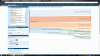
I have been perusing the site today and found a thread about creating a pie of a pie graph which is pretty close to what I'm looking to do with my data. I also found a youtube demo of a cloud based product called Scitivate that works with social media data to create graphs based on demographic information. I've included a screen capture of their graph and included it with my spreadsheet to see if anyone else has created a similar graph or if there's already one on the site and I just haven't found it yet.
The spreadsheet contains a list of current projects that I would like to group either by committee assignment or project manager. The first level of the graphic would show the 5-6 circles with the count of individual projects assigned to the committee or the project manager. When a user clicks on one of the circles (or other icon), the graph would open to show the list of projects. A user could then click on the name of any project to get further detail on the project - begin/end date, funded amount, how much expended so far, etc.
I hope I have provided enough information to make my request understandable. If not, please reply for clarification.
Thanks in advance for your assistance.
Steve
USA
Post Moved by Mod
This is my first post. I work in state government and am looking for some opportunities to present the data that we use at our board meetings in a more graphic format that makes it easier to understand.
I have been perusing the site today and found a thread about creating a pie of a pie graph which is pretty close to what I'm looking to do with my data. I also found a youtube demo of a cloud based product called Scitivate that works with social media data to create graphs based on demographic information. I've included a screen capture of their graph and included it with my spreadsheet to see if anyone else has created a similar graph or if there's already one on the site and I just haven't found it yet.
The spreadsheet contains a list of current projects that I would like to group either by committee assignment or project manager. The first level of the graphic would show the 5-6 circles with the count of individual projects assigned to the committee or the project manager. When a user clicks on one of the circles (or other icon), the graph would open to show the list of projects. A user could then click on the name of any project to get further detail on the project - begin/end date, funded amount, how much expended so far, etc.
I hope I have provided enough information to make my request understandable. If not, please reply for clarification.
Thanks in advance for your assistance.
Steve
USA
Post Moved by Mod
Attachments
Last edited by a moderator: