
• Hi All

    Please note that at the Chandoo.org Forums there is Zero Tolerance to Spam

    Post Spam and you Will Be Deleted as a User

    Hui...

  • When starting a new post, to receive a quicker and more targeted answer, Please include a sample file in the initial post.

Start Button

Hi Dear,

I would like to create one start button to make all formula works. In case, there is no any click on start button, the formula will not works.
One more thing, I would like to hide all my formula.

Thank for help,
Chanthan
 

Attachments

Hi Chanthan and welcome to the forum.

I think what you required is task of VBA.
But this can be done with the help of checkbox + IF function.

See if this is acceptable.

If you want to hide formulas.
follow these steps:
1) Press F5
2) Special
3) Formulas
4) OK
5) Ctrl+1
6) Protection > Enable Hidden checkbox > OK
7) Protect sheet

Regards,
 

Attachments

Thank you very much for your fast response. Anyway, Is VBA different from Excel? I would appreciate if you can give me one form of VBA.

Best regards,
Chanthan
 
Thank you very much for your fast response. Anyway, Is VBA different from Excel? I would appreciate if you can give me one form of VBA.

Best regards,
Chanthan

Hi Chanthan,

VBA is available in excel, it install automatically, unless we un-check VBA installation.

I would appreciate if you can give me one form of VBA.
I am not much familiar with VBA :(

Here is the introduction about VBA:
http://chandoo.org/wp/2011/08/29/introduction-to-vba-macros/

Regards,
 
First, I don't recommend doing what you asked. It would seem to make more sense to have the formulas live so that they are always accurate. Nevertheless, there is a way...

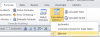
First, on your ribbon, turn on Manual Calculation. This will disable the formulas.
upload_2015-8-7_8-53-49.png

Next, right-click on a sheet tab. Click "View Code". This will open the Visual Basic Editor (VBE). From there, go to Insert - Module. In the space that appears, paste this code:
Code:
Sub RefreshFormulas()
Application.Calculate
End Sub

Close the VBE.

Back in your workbook, insert whatever shape/button you want to use for the Start Button. Right-click on it, Assign Macro. Choose the RefreshFormulas macro.

And, you're done. Clicking the button now will cause the formulas to recalculate.

Again, I don't recommend this. It usually just ends up causing confusion. But if you really want to...
 
Back
Top