• Hi All

    Please note that at the Chandoo.org Forums there is Zero Tolerance to Spam

    Post Spam and you Will Be Deleted as a User

    Hui...

  • When starting a new post, to receive a quicker and more targeted answer, Please include a sample file in the initial post.

Send data from 1 book to another

My apologies if I've asjed this in the past but I can't seem to find anything that I have.

I have 18 sheets in 5 different books that I want to extract data from specific cells. What is the best way to do this? Example: 1 sheet is called Numbers E-O1 data in 13:WXYZ. The data updates and moves up 1 row every time I enter a new numbers ton another book called Input Book. So let's say I enter the number 12 into the Input Book

Through a lot of calculations the output goes in the other 4 books depending what I'm looking for All the books are set up the exact same way. I have a small book with 100 rows and a large book with 3000 rows I'm trying to send the data from 1 row 13:WXYZ in the small book to a totally different book called "Vortex Numbers E-O" 2000: CDEF. I call THESE 4 cells 13:W , 13:X, 13:Y, 13:Z counter's. Anyways, how can I send that 4 digit number to a totally different book/sheet? To bullet what I'm talking about


data in cells Row 13:WXYZ in book called Numbers sheet E-O1

send data to book called "Vortex Numbers" Sheet E-O row 2001:CDEF


What formula or Macro can I use to make this work?

I can load a sample book if need be

thank you!
 
Hi Larry ,

Sorry but your post is like your workbooks !

1. How many workbooks are involved in this exercise ? 1,2,3,4,5 ?

2. Which is the source workbook ? I assume there is only one source workbook. Suppose we call it SOURCEWBK.

3. How many worksheets in the SOURCEWBK are involved in this exercise ?

4. How many destination workbooks are there ? Suppose we call them DESTWBK1 , DESTWBK2 , DESTWBK3 ,....

5. How many worksheets in the DESTWBK1 , DESTWBK2 , DESTWBK3 ,... are involved ? Is it only one worksheet in each workbook ?

The above is just the background information you need to give.

Thereafter , what is the complete logic for the data transfer from SOURCEWBK to each of the DESTWBK1 , DESTWBK2 , DESTWBK3 ,... ; which cells in the SOURCEWBK will be involved , which cells in each of the DESTWBK1 , DESTWBK2 , DESTWBK3 ,... will be involved ?

If you can give all of this information in one post , you should get your solution in the next post.

Narayan
 
1. How many workbooks are involved in this exercise ? 1,2,3,4,5 ?

There are 5

2. Which is the source workbook ? I assume there is only one source workbook. Suppose we call it SOURCEWBK.

There is only 1 Narayan BUT it doesn't affect what I'm trying to do ot at least I don't think it does. The source book has the actual whole number which I enter like 1,15,45, 56 etc.... That whole number gets broken down into serval different calculations and go yo all the books " but.....I only want to move 4 cells of single digit numbers from one cell in a book to another cell in a different book. This does not come from the source. No sarcasm here please but let's not make this more complicated than it has to be (-:

3. How many worksheets in the SOURCEWBK are involved in this exercise ?

There are 18 sheets per book

4. How many destination workbooks are there ? Suppose we call them DESTWBK1 , DESTWBK2 , DESTWBK3 ,....

There will be 1

5. How many worksheets in the DESTWBK1 , DESTWBK2 , DESTWBK3 ,... are involved ? Is it only one worksheet in each workbook ?

There will be 3. ( Numbers , 50+ hits, OB Hits )

Does this make sense?
 
Last edited by a moderator:
Hi Larry ,

A little , but not much.

My point is , are you asking for something which is to be repeated ? Or is the entire exercise just one ?

If it is something which is to be repeated , can we take what constitutes one iteration , and thereafter we can go on to the repetition ?

So , just upload all the workbooks which will be involved in doing the whole thing once , either for one worksheet or for one workbook , or for just one cell ; once we get this right , we can see how the logic can be extended to cover the remaining cells / worksheets / workbooks.

Narayan
 
Ah, it will be repeated every time I enter a number into the Input sheet which us twice a week. It will go from row 13 to row 12 then 11 then 10 in the small book and in the large book it will move up the same except it will start on row 3000.

I am glad you did ask these questions (you are the Guru) I did not really think about everything that will effect what I want to do. I will try my best to break it down pc by pc so you will understand my obstacle or opportunity. I will put a few different pics and files with the flow.

I enter numbers into the Input book sheet:
 

Attachments

  • Input Book sheet.jpg
    Input Book sheet.jpg
    205.6 KB · Views: 1
Hi Larry ,

I assume that each time you enter data into this worksheet , you will be replacing one set of ? symbols with relevant numbers and a date.

Narayan
 
From the Input book it gets distributed to the other 3 books that are called Numbers, 50+ Hits and OB Hits. This is an example of the Lotto Texas books. Each game has its own set of books but they are exactly the same. Each book has 18 sheets that will be affected (both large and small books)

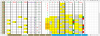
upload_2014-12-13_23-36-46.png

This is 1 sheet inside the OB Hits book

upload_2014-12-13_23-40-26.png

The small books only go up to row 2 but the issue or opportunity that I forgot about is when the Input book gets reset

upload_2014-12-13_23-41-51.png

it can be reset back to any row that I choose. I will typically reset it back to Game 40 (row 12) and enter new numbers all the way to Game 50 (row 2) before doing another reset. This being said, the data I want to send from the other sheets

upload_2014-12-13_23-40-26.png

will also reset back to match the Input book.

I want to be able to take the counter numbers from all the other sheets in the 3 books and send just that specific row number i.e... 13:WXYZ , 13:RSTU to another sheet. The more I think about it lets forget about the large books all together and just focus on the small book in the pictures.

so the data will float every time a reset is done but the sheet we are sending the counter numbers to will not. It will keep on building up 1 row at a time
 
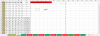
Here is what I envision the book/sheet to look like once the data from the other 3 books are pasted in it
. I am wanting to do this because I have never been able to fix my reset and the small book compared to the large book will never match which is crucial. So, I figured a way to work around it is to keep building a new set of counter numbers manually (WXYZ and RSTU) I do hope this makes better sense and thanks for asking those questions, it made me think deeper
 

Attachments

Hi Larry ,

Can you check back later ? You need to give time for others to digest what to you is your bread and butter , and seems as easy as 2 and 2 make 4.

Narayan
 
Absolutely Narayan! I know my sheets are a handful at times and I appreciate all of talks patience and knowlegde. I respect all of you on this forum. The things y'all can do simply amaze me.
 
Back
Top