• Hi All

    Please note that at the Chandoo.org Forums there is Zero Tolerance to Spam

    Post Spam and you Will Be Deleted as a User

    Hui...

  • When starting a new post, to receive a quicker and more targeted answer, Please include a sample file in the initial post.

replace row labels on a pivot

Rodrigo Pombo

New Member
Hi guys:

A big thank in advance for any help I can receive with this.

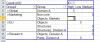
From a large ("untouchable") database I need to produce simple pivots but the row labels would have to be replaced with new categories (see table below). The preference is not to add any helper columns or allowing the user to touch the source data table and ideally the pivot table can be presented (i.e. slicers, graphs, etc). another restriction only excel 2010 is available and there is no possibility to have the add-in for power pivot (company rules).

Again I would appreciate any advice as to how to approach a solution for this. I hope the pictures below are sufficiently explanatory.

Thanks you again,

upload_2015-2-13_13-56-46.png

upload_2015-2-13_13-57-22.png

 
In the PivotTable, select the items in the Row Labels that belong together. Right-click, hit Group. This will start to create a new PT field called Group2. Continue to multi-select items from original field and group them together. In the new field, you can over-write the names that are created. PT should look like this then:
upload_2015-2-13_9-21-14.png
(note that I had to make up my own data, so counts are wrong, and the Name of column with your categories may be wrong).

After you have the grouping setup, you can remove the original Group field, and you'll just be left with the new group names.
upload_2015-2-13_9-22-59.png

Voila! You're done. PT will retain the groupings, even after doing a refresh.
 
That is a solution Luke, many thanks, no doubt. My fault for not being clear that either categories (old or new) could change, therefore I'm looking for a formula or process even buy building interim tables (no macros) to do it more automatically based on a reference table. The only table the user will be allow to maintain.

Thank you again.
 
Sorry, you had originally posted you didn't want to use helper columns.

To truly do it w/o manipulating the PT, using macros, or modifying the source table, you would need to:
1. Create a dummy worksheet, which will basically link to original data-table for all columns/rows except for Category Name.
2. Category Name column in new sheet will use a lookup type formula, referencing your helper table to be maintained by user. It looks up value from raw data sheet, finds new name, and returns that as result.
3. PT is built based on new dummy worksheet.
4. Is Lookup table is changed, PT will need to be refreshed.
 
Many many thanks Luke. I guess that is the solution I will use. I need to craft a mirror ws able to be dynamic as the weekly data dump may change (rows). Don't really know how, but other than that I agree is the safest way to maintain data integrity.

Cheers,
Rodrigo
 
If you have an idea as to what's the biggest it could be, you can do someting like:
=IF(Sheet1!A1="","",A1)
Copy down to about row 10,000 (or however big you need), and then you've still got a good data set to run the PT on, as you can filter out "(blanks)"
 
Back
Top