• Hi All

    Please note that at the Chandoo.org Forums there is Zero Tolerance to Spam

    Post Spam and you Will Be Deleted as a User

    Hui...

  • When starting a new post, to receive a quicker and more targeted answer, Please include a sample file in the initial post.

Pls help me to make the excel enter the data automatically???

iRasim

Member
There is is a form, after entering the id, datas from sheet 2 come to c7, d7, e7. After this, I save the file with customer name (John) from SAVE AS.
I want to know if it is possible do it automatically. For example: at the above example I enter id manually. After this I have to enter second id (2000) But I want to know excel do it for me automatically.
I added excel file that what I want to do.
 

Attachments

Hi Rasim,

See the attached file. It is using macro to do the task. Go through the code and change the directory path as required.

Regards,
 

Attachments

Hi Rasim,

I hope you are on Windows environment, if so try this

Code:
Private Sub Worksheet_Change(ByVal Target As Range)

Dim name As String

If Not Intersect(Target, Range("B3")) Is Nothing Then

  ChDir " \\b4sb1\UserDoc$\Rasim.Guliyev\Desktop" 'change directory path here.
 
    name = " \\b4sb1\UserDoc$\Rasim.Guliyev\Desktop\" & Range("C7") ' Also here
 
    ActiveWorkbook.SaveAs Filename:=name, _
        FileFormat:=xlOpenXMLWorkbookMacroEnabled, CreateBackup:=False
End If

End Sub

Regards,
 
how can I use it ? inserting
Private Sub Worksheet_Change(ByVal Target As Range)

Dim name As String

If Not Intersect(Target, Range("B3")) Is Nothing Then

ChDir " \\b4sb1\UserDoc$\Rasim.Guliyev\Desktop" 'change directory path here.
name = " \\b4sb1\UserDoc$\Rasim.Guliyev\Desktop\" & Range("C7") ' Also here
ActiveWorkbook.SaveAs Filename:=name, _
FileFormat:=xlOpenXMLWorkbookMacroEnabled, CreateBackup:=False
End If

End Sub
Need to insert like a module or recording a macro ?
I tried record like a macro and run it makro windows comes to screend and nothing happens
 
@iRasim .... Hi,

Do one thing.

Try to record a macro, follow the steps below:
1. Start Recorder.
2. Click on Save As option.
3. Select the folder and give any name.
4. Stop the recorder.
5. Go to VBA Editor.
6. Copy The path where it is storing the file.
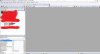
7. Click on say Sheet1 in Project Explorer as Shown below.Capture.JPG

8. Select Worksheet from first dropdown & Change from Second Dropdown.

Now Copy my code in that with the directory name that you got while recording macro where ever I mentioned Change Path.

Hope that helps.


Regards,
 
Back
Top