• Hi All

    Please note that at the Chandoo.org Forums there is Zero Tolerance to Spam

    Post Spam and you Will Be Deleted as a User

    Hui...

  • When starting a new post, to receive a quicker and more targeted answer, Please include a sample file in the initial post.

Offsetting a negative amount in reverse chronological order

macker16

New Member
Hi,

This is my first post here. I am quite an experienced excel user but I am really struggling with this problem and looking for some help. I cannot use VBA for this problem due to work restrictions.

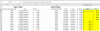
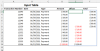
I have attached the scenario where payments are coming in, ordered chronologically (I am in Australia), and a reversal payment has been received at the very end of the year. I need to write a formula that will look backwards and consume the full amount until it is offset. I have added an idealized output table to show the reversal payment being allocated to positive amounts that came before it until it has been offset.

Thank you for helping with this and happy to provide further clarity if required.

Kind regards,
Macker

( Also I can create a secondary 'helper' table if required. I would like to keep my original table in chronological order. But if I need to create a second one that transposes the data before using some kind of subtotal/offset function then I would definitely be willing to do that. )
 

Attachments

The main question is, do you have access to Excel 365? If so, the following may be sufficient
Code:
= LET(
      finalTotal,  SUM(amount),
      accumulated, SCAN(0,amount,
          LAMBDA(acc,amt,
              IF(acc+MAX(amt,0)<finalTotal, acc+MAX(amt,0), finalTotal)
          )
      ),
      priorValue,  DROP(VSTACK(0, accumulated), -1),
      total,       accumulated - priorValue,
      offset,      total - amount,
      HSTACK(offset, total)
  )
82005

What I have done is accumulate until I reach the column total and then flatline the balance.
 

Attachments

Hi Peter,

Unfortunately I do not have Office 365. I wish I did as it looks like it has a lot more power with those lambda functions. Very cool.

I think I will have to flip the table or create some helper column and apply the payment sequentially until the full value is soaked up by the transactions that immediately precede it (like you have done perfectly above!).

I believe the excel version is 2016.

Thank you,

Macker
 
I think that if you insert a helper column for the running balance (subject to a cap) you will be able to implement the same formulas on a cell-by-cell basis using relative references. That is not something I do anymore, but it can be very effective.
 
Hi Peter,

I went and drank more coffee and read your line about accumulating until you reach the column total. I had a brain wave and think I have a good solution by calculating how much is available ahead of each transaction. Then I apply the payment or a partial amount when it becomes necessary.

Thanks so much for helping me. Nice to have it figured out.

I have attached in case you are interested / may help others

Kind regards,

Macker
 

Attachments

Hi Peter,

I went and drank more coffee and read your line about accumulating until you reach the column total. I had a brain wave and think I have a good solution by calculating how much is available ahead of each transaction. Then I apply the payment or a partial amount when it becomes necessary.
Macker
Clearly good stuff this coffee!

In the attached, I have taken your idea of calculating the future amounts available but have performed the calculation as an accumulation rather than a decreasing series of summations. That should be more efficient if you ever get to 10,000s of rows (and clears the little green warning triangles). I also observe that the the total is more straightforward to calculate than the Offset.

It was probably good practice for me. I do not think I have used a direct cell reference for the past 7 years!
 

Attachments

Hi Peter,

Thank you for fixing that. I definitely will have large datasets so that will be very handy. It is probably going to be the case that I repeat this accumulation with a break point each time their is a new reversal transaction. I think I have a plan for this using a vlookup for the start of each block to see how far away the reversal transaction is and then make the accumulation calculations that you put in. Will give it a shot anyway!

Have a great day.

Kind regards,

Chris
 
Back
Top