Hello!
I'm trying to figure out a function that will allow me to enter in a unique identifier, and if that identifier is already on the table, it will take certain corresponding cells and populate them into the table for me.
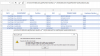
Basically, what I have is a table that has a list of employee names (unique identifier), their departments, their employee numbers, and the classes they're enrolled to take. These tables are thousands of rows long and hold the database to all employee's class participation. Because it is just a running roster, many times an employee's name will appear more than once. What I'm trying to eliminate is the tedious work of logging into our system to figure out what department the employee works in, their position, and employee number when it's probably already elsewhere on the table. I would like a function that recognizes the employee name elsewhere on the table (if they are previously listed) and populates their department, position, and employee number and if they're not previously listed, then the cell stays blank. I've been playing around with combinations of the IFERROR, VLOOKUP, INDEX and MATCH functions trying to make this work with no luck. In my example, I would be manually entering data in columns A, D, E (unique identifier), G, H, I, and J. When I enter the employee's name into column E, I would like the function to search the table for that name and populate the corresponding cells in columns B, C, and F.
Thank you in advance!
Amber

I'm trying to figure out a function that will allow me to enter in a unique identifier, and if that identifier is already on the table, it will take certain corresponding cells and populate them into the table for me.
Basically, what I have is a table that has a list of employee names (unique identifier), their departments, their employee numbers, and the classes they're enrolled to take. These tables are thousands of rows long and hold the database to all employee's class participation. Because it is just a running roster, many times an employee's name will appear more than once. What I'm trying to eliminate is the tedious work of logging into our system to figure out what department the employee works in, their position, and employee number when it's probably already elsewhere on the table. I would like a function that recognizes the employee name elsewhere on the table (if they are previously listed) and populates their department, position, and employee number and if they're not previously listed, then the cell stays blank. I've been playing around with combinations of the IFERROR, VLOOKUP, INDEX and MATCH functions trying to make this work with no luck. In my example, I would be manually entering data in columns A, D, E (unique identifier), G, H, I, and J. When I enter the employee's name into column E, I would like the function to search the table for that name and populate the corresponding cells in columns B, C, and F.
Thank you in advance!
Amber