• Hi All

    Please note that at the Chandoo.org Forums there is Zero Tolerance to Spam

    Post Spam and you Will Be Deleted as a User

    Hui...

  • When starting a new post, to receive a quicker and more targeted answer, Please include a sample file in the initial post.

Need VBA macro help to decode/read/convert string of numbers into date & time

Ria

Member
Hi all:
I use following link to get realtime stock data:

http://chartapi.finance.yahoo.com/instrument/1.0/ACC.NS/chartdata;type=quote;range=5d/csv/

Then it displays the results in web page, which I copy/paste in excel in table format. First column of data is supposed to be date but it shows long string of numbers (e.g. 1479700142). This long string of numbers does not make sense to me. I need help if we can decode/convert it into real readable date format.
Following are the heading/lables of each columns:
Timestamp,close,high,low,open,volume
Results of this link shows last 5 days data with one minutes interval/gap.

I want VBA macro to do this work.

Would be appreciated.

Thanks all great gurus.

Riaz
 
It appears that Yahoo is using the timestamp in seconds with a base of 0 at Midnight 1 Jan 1970
The records are roughly 300 seconds (5 mins) apart

So try the following
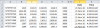
J2: =INT(25569+A2/(24*3600))
Format J2 as a date eg: dd-mmm-yy

K2: =(A2-INT((J2-25569)*(24*3600)))/86400
Format K2 as a time eg: h:mm:ss AM/PM

Copy both cells down

upload_2016-11-26_10-20-4.png
 
  • Like
Reactions: Ria
It appears that Yahoo is using the timestamp in seconds with a base of 0 at Midnight 1 Jan 1970
The records are roughly 300 seconds (5 mins) apart

So try the following
J2: =INT(25569+A2/(24*3600))
Format J2 as a date eg: dd-mmm-yy

K2: =(A2-INT((J2-25569)*(24*3600)))/86400
Format K2 as a time eg: h:mm:ss AM/PM

Copy both cells down

View attachment 36412
Hi Hui:

Thanks for reply. I never thought about timestamp and have no clue what is this and how it works. Lots of thanks for giving me directions.

Riaz
 
Riaz

Just be careful using this technique
You should check some other way about Yahoo's data to ensure my assumptions are correct
 
Hui is right, Yahoo Finance uses UNIX Timestamp.

Which is # of seconds since Midnight, January 1, 1970.

If you want single column to contain Date & Time together.
=A2/86400+DATE(1970,1,1)

86400 = # of seconds in a day (24*60*60)
 
  • Like
Reactions: Ria
Hui is right, Yahoo Finance uses UNIX Timestamp.

Which is # of seconds since Midnight, January 1, 1970.

If you want single column to contain Date & Time together.
=A2/86400+DATE(1970,1,1)

86400 = # of seconds in a day (24*60*60)

Thanks a lot for this tip, I will try.
 
Hui is right, Yahoo Finance uses UNIX Timestamp.

Which is # of seconds since Midnight, January 1, 1970.

If you want single column to contain Date & Time together.
=A2/86400+DATE(1970,1,1)

86400 = # of seconds in a day (24*60*60)

Thanks both of you (Hui and Chihiro) helping me solving this puzzle.
Next question, using above formula, we get first date/time:
21/11/2016 3:49
and gap between first and next line is 5 minutes (300 seconds).
In reality market opens at 9:30 and closes at 16:00. Based on market opening time (9:30) and gap 5 minutes, how to get first value that should be:
21/11/2016 9:55. What should we add/subtract from above formula.

Thanks again.

Riaz
 
Hi ,

Do you mean to say that the first item of data , which is having a time stamp of 03:49:02 AM should read 09:55:00 AM ?

If so , the simplest way is to enter the formula , suggested by Chihiro , as :

=A1/86400 + DATE(1970,1,1) + $O$1

where O1 will contain the offset required to shift the time value from 03:49:02 to 09:55:00

Entering a few values between 0 and 1 , in cell O1 , shows that the correct offset value should be 0.25414 , which when formatted as a time value , displays 06:05:58.

Narayan
 
  • Like
Reactions: Ria
Hi ,

Do you mean to say that the first item of data , which is having a time stamp of 03:49:02 AM should read 09:55:00 AM ?

If so , the simplest way is to enter the formula , suggested by Chihiro , as :

=A1/86400 + DATE(1970,1,1) + $O$1

where O1 will contain the offset required to shift the time value from 03:49:02 to 09:55:00

Entering a few values between 0 and 1 , in cell O1 , shows that the correct offset value should be 0.25414 , which when formatted as a time value , displays 06:05:58.

Narayan
Thanks boss NARAYAN SIR. your solved the issue. Bless you.
 
Hi ,

Do you mean to say that the first item of data , which is having a time stamp of 03:49:02 AM should read 09:55:00 AM ?

If so , the simplest way is to enter the formula , suggested by Chihiro , as :

=A1/86400 + DATE(1970,1,1) + $O$1

where O1 will contain the offset required to shift the time value from 03:49:02 to 09:55:00

Entering a few values between 0 and 1 , in cell O1 , shows that the correct offset value should be 0.25414 , which when formatted as a time value , displays 06:05:58.

Narayan

Thank you sir, through all of your help I got solution. Will post few summary lines as I finish it up.

Riaz
 
Back
Top