
• Hi All

    Please note that at the Chandoo.org Forums there is Zero Tolerance to Spam

    Post Spam and you Will Be Deleted as a User

    Hui...

  • When starting a new post, to receive a quicker and more targeted answer, Please include a sample file in the initial post.

Need help with simulation macro

GRODD

New Member
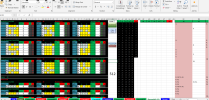
I have a macro and need some help. I want to play a game and have this macro If you place a E or O in I J 3, U or D in T U 3, U or D in AE AF 3, E or O in I J 11, U or D in T U 11, U or D in AE AF 11, E or O in I J 19, a U or D in T U 19 and a U or D in AE AF 19, E or O in I J 29 and 32 and a U or D in T U 29 and 32 and a U or D in AE AF 29 and 32 it should ONLY leave you with 1 to 3 max numbers for each ball. You just have to figure out which pattern to play per ball that leaves only 1 to 3 numbers per ball in AI AJ AK AL AN. For some reason, I cannot get it to display on a separate sheet what those numbers are left to display. It was placing them over in sections BV and BW. BX.....

I am NOT a macro writer and need someone to actually change this for me to do what i am asking. Thank you so much. I tried to upload the file and it would not allow that so i uploaded a snip. Thank you in advance


Attachments

Could You explain below with other words ... to get some kind of image ... what?
If you place a E or O in I J 3, U or D in T U 3, U or D in AE AF 3, E or O in I J 11, U or D in T U 11, U or D in AE AF 11, E or O in I J 19, a U or D in T U 19 and a U or D in AE AF 19, E or O in I J 29 and 32 and a U or D in T U 29 and 32 and a U or D in AE AF 29 and 32 it should ONLY leave you with 1 to 3 max numbers for each ball.
Where is You named a separate sheet?
Your file has one sheet.
 
What the workbook does, and i hope this makes sense.

Each Game sheet contains:

9 pattern groups
Three Even/Odd (E/O) sections
Three Up/Down (U/D) sections
Bonus Ball sections

For every game, there are 9 binary decisions:

3 Even/Odd groups
6 Up/Down groups

Each decision can be one of two values:

E or O
U or D

That produces 512 possible combinations (2^9).

What I want the macro to do

For every one of the 512 combinations:

Clear all previous E/O and U/D entries.
Fill the proper worksheet cells with one complete combination.
Force Excel to recalculate all formulas and conditional formatting.
Read the resulting candidate numbers for:
Ball 1
Ball 2
Ball 3
Ball 4
Bonus Ball
Count how many candidate numbers remain for each ball.
Save the results to a new worksheet.

Example output:

Combo Pattern Ball1 Ball2 Ball3 Ball4 Bonus
147 UDUDEOUEO 17 20,24 28 31,34 8
The problem

The macro correctly creates the output worksheet, but no combinations are written.

I either get:

only the column headers

or

Every combination reports zero surviving numbers.

The workbook itself works correctly when I manually enter E/O and U/D values.

So the issue appears to be the VBA reading the results after calculation.

My question

What is the best VBA method to capture the displayed surviving numbers after formulas and conditional formatting updates?

Should I be reading:

the formula results,
DisplayFormat,
SpecialCells,
conditional formatting,
another approach?
 
... with other words ...
I understood that - There needs to be three columns (i, t, ac) for those Your six columns (i-j, t-u, ac-ab).
As You wrote that You've some challenges with macros ... I'll skip those.

Why do You've a lot of conditional formatting and ... a lot of same kind of formulas?
... my opinion is that columns from A to AO are needed.

Your previous post told:
Example output:
Combo Pattern Ball1 Ball2 Ball3 Ball4 Bonus
147 UDUDEOUEO 17 20,24 28 31,34 8


Where can I find that from Your sample file?
 
Back
Top