• Hi All

    Please note that at the Chandoo.org Forums there is Zero Tolerance to Spam

    Post Spam and you Will Be Deleted as a User

    Hui...

  • When starting a new post, to receive a quicker and more targeted answer, Please include a sample file in the initial post.

Multi-column spill range/dynamic arrays and SUMIFS

Status
Not open for further replies.
I'm getting more and more familiar with dynamic arrays formulas every day, and I am loving them! But what I haven't figured out how to do is use SUMIFS (or count/min/max, etc.) on a multi-column spilled range. For instance, I need to pull total hours for each company based on location. One company may have more than one location, and I used unique/filter/index to pull the unique company and location combinations. Now I need to sum the hours for each company/location combination, but since the spill range is two columns, I haven't be able to figure out how to do that and I haven't been able to find any blogs, videos, etc. that discuss that piece. I feel like it's something simple that I am just completely missing, but I wanted to ask the experts to see if anyone had any thoughts. I've attached sample data with 500 rows of data (and I used RANDARRAY to pull it!).

Alternatively, if this cannot be done, is there a way to pull two separate spill ranges using filter/unique, etc., where the company will spill as many times as there is a unique location (so could be only once or could be multiple times), and then the separate column pulling the unique location? I know I could use analysis formulas (sum, etc.) with two separate ones. I am just not thinking of the correct unique/filter arguments to pull the separate columns.

Thank you in advance for your assistance!
YL
 

Attachments

You can use INDEX to separate the distinct locations and their company names to use as criteria in SUMIFS. Then, if you wish to recombine the columns into a single spilt range, you can use CHOOSE
Code:
= LET(
      RecordNum, SEQUENCE(ROWS(data)),
      CompanyLocation, INDEX(data,RecordNum,{3,1}),
      distinct, SORT(UNIQUE(CompanyLocation)),
      distinctCompany, INDEX(distinct,,1),
      distinctLocation,  INDEX(distinct,,2),
      hours, SUMIFS(
         data[HOURS],
         data[CLIENT NAME], distinctCompany,
         data[LOCATION], distinctLocation),
      CHOOSE({1,2,3}, distinctCompany, distinctLocation, hours )
   )
For reasons that may be obvious from the above, I recommend you use the LET function that removes the need to nest functions and provides some level of annotation in the names you select.
 

Attachments

@p45cal
True, but I could equally say "This is just one thing that array formulas do well; you don't need any complicated special-purpose functionality"!
To be fair, I do turn to pivot tables if the use case requires data refresh from an external source, the data volume is large or I want the end-user to have the flexibility to slice and dice different data views. Conversely, I tend to avoid them if I want the output to respond instantly to changes within the input data set, I want to prevent the end-user from changing the data in view, I wish to perform further calculations based upon the intermediate table.
 
@Peter Bartholomew - thank you so much for that info! It is extremely helpful. I am still familiarizing myself with the LET formula, and it is very helpful to see the syntax!

@p45cal - thank you for your suggestion as well. In many ways, I love pivot tables, and in many ways I don't. The biggest drawback for me is how large the file size tends to be when I use them. And I also really like the immediacy of the array formulas for analysis and charting. But I definitely go back and forth depending on the situation, so I am glad to have both options!

Thank you both so very much!!!
YL
 
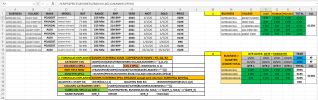
Hello, I've had same issue with SUMIFS with multiple criteria of SAME SPILL with MULTIPLE COLUMNS. Here is my answer, for others with

SOLVED IT! Solution is so easy, when u see it, is something you can construct in moments, now you can have Pivot Table equiv in moments!

File attached. See Tab 3rd. SUM LEDGER 2 COLUMN. Also any1 experienced in LET, TAB2, question intrigued to solve! 1sumifs Formula?

3D SUMIFS SPILL of SAME SPILL.png
 

Attachments

Last edited:
Hello, I've had same issue with SUMIFS with multiple criteria of SAME SPILL with MULTIPLE COLUMNS. Here is my answer, for others with

SOLVED IT! Solution is so easy, when u see it, is something you can construct in moments, now you can have Pivot Table equiv in moments!

File attached. See Tab 3rd. SUM LEDGER 2 COLUMN. Also any1 experienced in LET, TAB2, question intrigued to solve! 1sumifs Formula?

View attachment 91270
In the future, please start your own new thread rather than adding your question to an (old) existing thread.
 
Status
Not open for further replies.
Back
Top