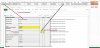
Hi team, i need to create a macro to generate multiple PDF of shipping instructions, based on booking number and date of loading.. Attached file i am creating manually . Sheet name Data is the file is my base data, Colum T is the base for split. Sheet Booking instruction need to populate the data one after one as per split sheets named with booking number and loading date.. Please help me

You are using an out of date browser. It may not display this or other websites correctly.
You should upgrade or use an alternative browser.
You should upgrade or use an alternative browser.
Macro to create PDF of multiple shipping instructing as per loading date and booking number
- Thread starter bijicha
- Start date
bijicha
Where do need those 'split-sheets'?
I tested one sample with Data and PDF-sheet. Other sheets ... I didn't use.
Select needed row from Data-sheet and press [ Load It ]-button from Cell E1.
... You'll get those light gray cells data there.
... I didn't change anything else
Something like this ... before to create that PDF?
Where do need those 'split-sheets'?
I tested one sample with Data and PDF-sheet. Other sheets ... I didn't use.
Select needed row from Data-sheet and press [ Load It ]-button from Cell E1.
... You'll get those light gray cells data there.
... I didn't change anything else
Something like this ... before to create that PDF?
Attachments
Vletm, its working perfectly, i dont need to create the split cells, i just want to show, how the PDF need to create. Now this need to create first PDF showing above 40D as 2 and above 20D as 0(since there is not 20D container loading) basically each PDF should create based on Data Sheet column T (ie. here it need to create 10 PDFs) and the PDF name should show the column T data.pdf