Hello! New member with a failing brain. Can I just start out by saying that this website has helped me learn all I currently know about Excel? It's been so much fun!
So anyway, I'm creating a grocery list so that I can track prices, etc, at a variety of stores in the area where I live. I keep a little notebook and when I go shopping and I fill it up with relevant info so that I can estimate what I'm going to be spending in later shopping trips and compare the prices at that store, with the prices at other stores.
I have FINALLY created a workbook for it all (Procrastination pains the wallet). But now I have this desperate need to make it extremely complicated, as is the way with people like us.
I would like to be able to add a value to a column next to an item that I need to purchase, and watch all the relevant data for that item show up on a new worksheet to create a handy shopping list that I can print out, eat, burn, etc.
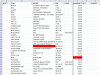
I've attached the file I created, there are two tabs. Please forgive the mess and lack of brilliant colors. Also, I'd prefer it not to be done in VBA if we can help it at all.
Thanks to everyone who has a look/crack at it! It's a silly little project, I know!
So anyway, I'm creating a grocery list so that I can track prices, etc, at a variety of stores in the area where I live. I keep a little notebook and when I go shopping and I fill it up with relevant info so that I can estimate what I'm going to be spending in later shopping trips and compare the prices at that store, with the prices at other stores.
I have FINALLY created a workbook for it all (Procrastination pains the wallet). But now I have this desperate need to make it extremely complicated, as is the way with people like us.
I would like to be able to add a value to a column next to an item that I need to purchase, and watch all the relevant data for that item show up on a new worksheet to create a handy shopping list that I can print out, eat, burn, etc.
I've attached the file I created, there are two tabs. Please forgive the mess and lack of brilliant colors. Also, I'd prefer it not to be done in VBA if we can help it at all.
Thanks to everyone who has a look/crack at it! It's a silly little project, I know!