
Dear Community,
I need your support to solve the following function:
Whenever I'm using an INDEX+MATCH formula related to columns with dates and there's a blank cell in the INDEX array, Excel would calculate it as a zero Value which (when format is set to DATE) it would convert the result into the following:
But what I need is the blank CELL/zero value, so that every time I'm using filters I'm not encountered with a date from the 19th as a possible value to my table.
Combining this with an "IFNA" formula is not solving the problem and I really believe there must be a smarter way to solve this than to simply use the disgusting following method:
+IF( (INDEX+MATCH)="0","",(repeat INDEX+MATCH)
I'm working with large data and I really want to avoid overpowering Excel calculation capacity by using a complex formula with a thousand duplicated search requests.
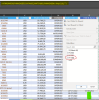
PS. I've managed to change the shown value on cells by customizing the DATE format, but It would still appear as 00-01-1900 when applying filters to the table.
Any ideas?
Your support would be much appreciated.
Regards
I need your support to solve the following function:
Whenever I'm using an INDEX+MATCH formula related to columns with dates and there's a blank cell in the INDEX array, Excel would calculate it as a zero Value which (when format is set to DATE) it would convert the result into the following:
00-01-1900 |
But what I need is the blank CELL/zero value, so that every time I'm using filters I'm not encountered with a date from the 19th as a possible value to my table.
Combining this with an "IFNA" formula is not solving the problem and I really believe there must be a smarter way to solve this than to simply use the disgusting following method:
+IF( (INDEX+MATCH)="0","",(repeat INDEX+MATCH)
I'm working with large data and I really want to avoid overpowering Excel calculation capacity by using a complex formula with a thousand duplicated search requests.
PS. I've managed to change the shown value on cells by customizing the DATE format, but It would still appear as 00-01-1900 when applying filters to the table.
Any ideas?
Your support would be much appreciated.
Regards
