• Hi All

    Please note that at the Chandoo.org Forums there is Zero Tolerance to Spam

    Post Spam and you Will Be Deleted as a User

    Hui...

  • When starting a new post, to receive a quicker and more targeted answer, Please include a sample file in the initial post.

IF Statement Help

Hi There,

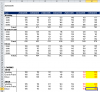
I need help with a formula I am working on. Please see the attached workbook as an example.

I need help at the bottom where you see all the FALSE'S. In my IF statement, if the logic is False, I want to reference the data in the top table depending on the amount of days of transit time shown in Sheet 2 for that location.

For Example, if today is 3/27/2015, I want to pull the data for Wembley 4 days from current date (3/31/2015), Grande Prairie's data 2 days from current column date (3/29/2015), and Edson 2 days from current column date(3/29/2015.

I want to use the cell refrences in sheet 2 so if that number changes, it adjusts on the summary.

Thanks,

Hunter
 

Attachments

In G30 I think you want either:

=IF(G$5<=$A$2,G$7,0)
or
=IF(G$5<=$A$2,G$7,"")

The format for the If() function
is =If(Condition, Value if True, Value if False)
Your original formula, =IF(G$5<=$A$2,G$7), left out the Value if False component and so Excel simply place the False value in its place
 
Thanks Hui, I appreciate the attempt! I understand how the IF function operates but your response wasn't answering what I needed help with. If the condition is false, I need a formula to find the value of the cell either 3 days ahead for Wembley, 4 days for Grande Prairie, and 3 days for Edson.

For Example, if today is 3/27/2015 which is False in my IF statement argument, I want to pull the data for Wembley 4 days from current date (3/31/2015), Grande Prairie's data 2 days from current column date (3/29/2015), and Edson 2 days from current column date(3/29/2015. Does this make sense?

I want to use the cell references in sheet 2 so if that number changes, it adjusts on the summary.
 
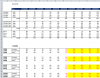
I have had to make a small change to the layout of your worksheet, which has allowed a single formula to solve your problem

upload_2015-3-26_11-58-17.png

See attached file:
 

Attachments

If this part upload_2015-4-6_22-10-14.png was always going to be the same and you were never going to add or remove rows or change the order, it might be possible to simplify it.

How many cells did you copy it too as it isn't that big an area in the sample file?
 
Hi Hunter ,

I don't think that SUMPRODUCT is the issue ; your formula is using the TODAY function , and this is a volatile function ; when ever a changes takes place in any other worksheet cell , this function will be recalculated , and all dependent formulae will also be recalculated. This will happen even if you use any other function , different from SUMPRODUCT.

The solution is to replace the TODAY() function by today's date as a static value.

Narayan
 
Hiu - Yes that part is always the same. My data is 365 columns by 50 rows. I provided you with sample data of what I am working with. I

Narayan - I already replaced the Today() function with VBA function. This is no longer referencing a formula but a static value.

Below is my current formula: It may not make much sense but the SUMPRODUCT function appears to be taking a long time to calculate in the spreadsheet. Any suggestions?

=IFERROR(IF(BR$8<=Current_Date,SUM(FILTER.IFS(0,'Railcar Loading'!$A:$K,3,8,Summary!$B327,11,Summary!$D327,2,Summary!BR$8)),SUMPRODUCT(($E$11:$NE$62)*(($D$11:$D$62=$D327)*($C$11:$C$62=$B327)*($E$8:$NE$8=OFFSET(BR$8,,INDEX(Forecast!$U$3:$U$11,MEMMATCH($B327,Forecast!$T$3:$T$11,0))))))),"0")

Thanks,

Hunter
 
Hi ,

Your formula is quite a complicated one , and besides the SUMPRODUCT function , it involves functions from the FastExcel add-in , as well as an OFFSET within which there is an INDEX along with MEMMATCH.

Is there any reason why you should suspect only the SUMPRODUCT ?

Your formula has a few independent sections to it , and we can through trial and error arrive at the culprit(s).

=IFERROR(IF(BR$8<=Current_Date,SUM(FILTER.IFS(0,'Railcar Loading'!$A:$K,3,8,Summary!$B327,11,Summary!$D327,2,Summary!BR$8)),SUMPRODUCT(($E$11:$NE$62)*(($D$11:$D$62=$D327)*($C$11:$C$62=$B327)*($E$8:$NE$8=OFFSET(BR$8,,INDEX(Forecast!$U$3:$U$11,MEMMATCH($B327,Forecast!$T$3:$T$11,0))))))),"0")

Let us remove the IFERROR first , and reduce it to :

=IF(BR$8<=Current_Date,SUM(FILTER.IFS(0,'Railcar Loading'!$A:$K,3,8,Summary!$B327,11,Summary!$D327,2,Summary!BR$8)),SUMPRODUCT(($E$11:$NE$62)*(($D$11:$D$62=$D327)*($C$11:$C$62=$B327)*($E$8:$NE$8=OFFSET(BR$8,,INDEX(Forecast!$U$3:$U$11,MEMMATCH($B327,Forecast!$T$3:$T$11,0)))))))

Next , remove the SUM(FILTER.IFS part :

=IF(BR$8<=Current_Date,,SUMPRODUCT(($E$11:$NE$62)*(($D$11:$D$62=$D327)*($C$11:$C$62=$B327)*($E$8:$NE$8=OFFSET(BR$8,,INDEX(Forecast!$U$3:$U$11,MEMMATCH($B327,Forecast!$T$3:$T$11,0)))))))

Now , you can try this remaining formula the way it is above , as well as in its reduced form :

=IF(BR$8<=Current_Date,,SUMPRODUCT(($E$11:$NE$62)*(($D$11:$D$62=$D327)*($C$11:$C$62=$B327))))

Or , you can start with the minimal function , which is shown above , and thereafter keep adding parts one by one , each time evaluating the impact on performance.

Narayan
 
You are correct. I am using the Fast Excel Add in but I am still learning it and trying to understand how to use it well.

So I updated my formula to the simplest form and the first time it took 4 or 5 seconds to update then after that it was much faster.

=IF(BR$8<=Current_Date,,SUMPRODUCT(($E$11:$NE$62)*(($D$11:$D$62=$D327)*($C$11:$C$62=$B327))))

Then I added the second part and it was significantly slower, perhaps the Offset and Index formulas are the culprits:

=IF(BR$8<=Current_Date,,SUMPRODUCT(($E$11:$NE$62)*(($D$11:$D$62=$D327)*($C$11:$C$62=$B327)*($E$8:$NE$8=OFFSET(BR$8,,INDEX(Forecast!$U$3:$U$11,MEMMATCH($B327,Forecast!$T$3:$T$11,0)))))))

I appreciate the help thus far. Do you have any suggestions to how we can either speed up the calculation of this formula.

I need my formula to do do the following:

If the IF statement is true, use the historical data, if false, then use the forecast data but pull the data that corresponds with the amount of days it takes the product to get to that location which is on the "Forecast tab" so if it takes 9 days for the product to get to location A, go into the forecast 9 days ahead and pull that number.

Thank you Narayan!

-Hunter
 
Hi ,

It would make it easier if you could upload a file which has enough data , and these formulae which you have posted.

Narayan
 
Back
Top