
• Hi All

    Please note that at the Chandoo.org Forums there is Zero Tolerance to Spam

    Post Spam and you Will Be Deleted as a User

    Hui...

  • When starting a new post, to receive a quicker and more targeted answer, Please include a sample file in the initial post.

IF Formula just doesn't work

Milos

New Member
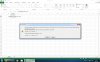
I am aware that this is a very simple formula, and I will probably embarrass myself but I just can't see what's wrong with what I entered.

Picture attached


EDIT: I found a solution, it seems that in Excel 2013 instead of , you have to use ; to get a correct formula.Sorry for creating this unnecessary thread.
 

Attachments
  • Uten navn.jpg
    Uten navn.jpg
    250.1 KB · Views: 9
Last edited:
This works, it has been tested....=IF(B2>150,"yes","no") in Excel 2013, the only reason you would need to use the ; is regional settings, you are in Serbia and that may be the reason.


.
 
This works, it has been tested....=IF(B2>150,"yes","no") in Excel 2013, the only reason you would need to use the ; is regional settings, you are in Serbia and that may be the reason.


.
I see, thanks for the reply.
 
Back
Top