
• Hi All

    Please note that at the Chandoo.org Forums there is Zero Tolerance to Spam

    Post Spam and you Will Be Deleted as a User

    Hui...

  • When starting a new post, to receive a quicker and more targeted answer, Please include a sample file in the initial post.

How to write this formula in VBA as a function

inddon

Member
Hello There,

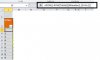
I am using the below formula in various tables and want to make it in a VBA Function. Attached jpeg file

Code:
ROW()-ROW(Table2[[#Headers],[Sr No.]]

The table column name is always fixed as "Sr No".
The input for this function would be the Table Name.

Could you please advise how to do it?


Thanks & regards,
Don
 

Attachments

  • Sr No Formula to VBA Function.jpg
    Sr No Formula to VBA Function.jpg
    27.6 KB · Views: 7
Why do you need a UDF for this? UDF will be slower in performance in comparison with native formula (in this case and many other).
 
Hi Shrivallabha,

The reasons being:
1. Wanted to use it via a short function name (eg. "Sr" instead of "ROW()-ROW(Table2[[#Headers],[Sr No.]]" ).Also, this will help in long formulas as I am using it in multiple places.

I was under the impression using it via VBA would be much faster. I was wrong. Now I will keep it in the formulas itself.

Just for my knowledge, could you show how could this be done using UDF?

Thanks & regards,
Don
 
Back
Top