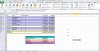
"In case of a multi-columns source range enhance with .Rows.Count"
In your sample your range is a single column
from I147 (first cell) to I154 (last cell).
So
[myrng].Count is the short way of
[myrng].Cells.Count : 8 cells.
Any
Range object has a
Cells collection like here from
.Cells(1) (I147)
to
.Cells(8) (I154). So to find out the last cell of a
Range object
from
.Cells(1) to
.Cells(n) (
n as the last cell index)
.Count property
gives this
n index … Easy !
Now imagine your range has n rows by 2 columns like I147:
J154.
[myrng].Count returns 16 as it's like
.Cells.Count but if you want
to write something under last cell of first column (aka I155)
you must use
[myrng].Rows.Count in order to get a result of 8 !
Just
Think,
But
Think
Object again …
Apply the same logic for any cells range (like
CurrentRegion)…
The main reminder is the first cell :
[myrng].Cells(1) is the short way of
[myrng].Cells(1, 1).
This is a flag, like a home 'cause from this range all is relative to this first cell.
For example if you want to write in a cell just under the range (row #155)
but 3 columns to the right : L155.
So check via
Debug.Print or
MsgBox to see what returns
•
[myrng].Cells([myrng].Count).Offset(1, 2).Address
•
[myrng].Cells([myrng].Count)(2, 3).Address
•
[myrng].Cells(1, 1).Offset([myrng].Rows.Count, 3).Address
•
[myrng].Cells([myrng].Rows.Count + 1, 4).Address …
See also relative to first cell (I147) what is the address of
•
[myrng].Range("A1")
•
[myrng].Cells(0)
•
[myrng].Cells(0, 1)
•
[myrng].Cells(1, 0)
•
[myrng].Cells(0, 0)
•
[myrng].Cells(1).Offset(-1, -1) …
Sub myrangelastcell()
    Range(Split([myrng].Address, ":")(1))(2).Value = Application.Sum([myrng])
End Sub
From your range I147:I154
Split function returns an array of two elements
always starting from index zero for the first element so its second element
has an index of 1, with the delimiter
":" aka FirstCell:LastCell address.
So
Split([myrng].Address, ":") is the entire array but followed by
(1)
it means only the second element aka LastCell address : I154 …
So
Range(Split([myrng].Address, ":")(1))
is like
Range("I154") or
[I154].
Now
Range(Split([myrng].Address, ":")(1))(2) is like
Range("I154")(2)
or like
Range("I154")(2, 1) or like
Range("I154").Offset(1, 0) or
like
Range("I154").Offset(1) aka I155 …
What is a worksheet ?
Just a big array of cells where its first cell is
Range("A1") or
[A1] or
Cells(1) or
Cells(1, 1) or
Columns(1).Cells(1) or
Rows(1).Cells(1, 1) or …
Remember the flag, the home !
Check now what is the address of
Cells(Columns.Count + 1)
in order to see what is first a worksheet ?