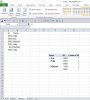
iRasim Member Jun 9, 2014 #1 Pls Help me to countif unique number, in added excel file I wrote what I wanted. Attachments 1.xlsx 1.xlsx 10.4 KB · Views: 11
Somendra Misra Excel Ninja Jun 9, 2014 #2 Hi Rasim, Try below array formula, enter with Ctrl+Shift+Enter. =SUMPRODUCT(IF(FREQUENCY(IFERROR(MATCH(IF(H8=$B$2:$B$7,$A$2:$A$7),$A$2:$A$7,0),"e"),IFERROR(MATCH(IF(H8=$B$2:$B$7,$A$2:$A$7),$A$2:$A$7,0),"e")),1,0)) Regards,
Hi Rasim, Try below array formula, enter with Ctrl+Shift+Enter. =SUMPRODUCT(IF(FREQUENCY(IFERROR(MATCH(IF(H8=$B$2:$B$7,$A$2:$A$7),$A$2:$A$7,0),"e"),IFERROR(MATCH(IF(H8=$B$2:$B$7,$A$2:$A$7),$A$2:$A$7,0),"e")),1,0)) Regards,
Debraj Excel Ninja Jun 9, 2014 #3 Here is another method.. =SUM(IF(B2:B7=H8,1/COUNTIFS(C2:C7,C2:C7,B2:B7,H8)))
iRasim Member Jun 9, 2014 #4 You are genuie. It is interesting me how does your brain work? But mine not like you. Is not there simple way ?
You are genuie. It is interesting me how does your brain work? But mine not like you. Is not there simple way ?