• Hi All

    Please note that at the Chandoo.org Forums there is Zero Tolerance to Spam

    Post Spam and you Will Be Deleted as a User

    Hui...

  • When starting a new post, to receive a quicker and more targeted answer, Please include a sample file in the initial post.

Help : Copy specific columns along with headers in to new worksheet

Hi Friends,

Need your help here a requirement.

I have a source data with different columns (say column A to k), now i have to copy paste the data to other sheet (called "output") and rearrange the columns as per the specific criteria.

Source Data : sheet 1

upload_2018-3-31_13-23-54.png


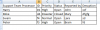
output Data : Sheet 2

upload_2018-3-31_13-24-54.png


Appreciate your help here.
 

Attachments

Hello
Try this code
Code:
Sub Test()
    Dim a          As Variant
    Dim r          As Range

    Set r = Sheets(1).Range("A1:K" & Sheets(1).Cells(Rows.Count, 1).End(xlUp).Row)
    a = Application.Index(r.Value, Evaluate("ROW(1:" & r.Rows.Count & ")"), [{6,1,3,4,5,2}])
    Sheets(2).Range("A1").Resize(UBound(a, 1), UBound(a, 2)).Value = a
End Sub
 
Hello Yaseer..thank you it working now.
Really appreciate your help.

But a small criteria before pasting the date in the second sheet.

It should pick and copy only those rows in source file where in :
---------------------------------------------------------------------------------------
Status column : should not be equal to open ,closed,pending approval
Team column : should only have "a,b,c,d,e,f"
Reason column : contain only "Help"

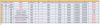
Source File : The Red ones marked should not form part of output file which also qualifies the above criteria.

upload_2018-3-31_14-20-41.png

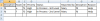
Output file :

upload_2018-3-31_14-22-12.png
 

Attachments

Back
Top