Hi - this is my first post - so firstly hello  and apologies if I have not followed the correct procedure
My question is related to Excel 2010 Sparklines. I wish to plot data where there is a possibility of 4 values, and I would like the 4 values to be plotted as sparklines with different colours associated to each value, can be either WinLoss / Column / Line - not fussy ! The values and colours are :
value of 0 to have colour Green
value of 1 to have colour Yellow
value of 2 to have colour Amber (or Orange)
value of 3 to have colour Red
Please advise the best way to create this - as far as I can see, I am only able to format 3 colours within the Design tab of the Sparklines (Marker colours)
I have attached a sample file
Many thanks
and apologies if I have not followed the correct procedureMy question is related to Excel 2010 Sparklines. I wish to plot data where there is a possibility of 4 values, and I would like the 4 values to be plotted as sparklines with different colours associated to each value, can be either WinLoss / Column / Line - not fussy ! The values and colours are :
value of 0 to have colour Green
value of 1 to have colour Yellow
value of 2 to have colour Amber (or Orange)
value of 3 to have colour Red
Please advise the best way to create this - as far as I can see, I am only able to format 3 colours within the Design tab of the Sparklines (Marker colours)
I have attached a sample file
Many thanks

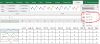
 .. back to the drawing board then, as I will need to show the values 1 & 2 as separate colours