• Hi All

    Please note that at the Chandoo.org Forums there is Zero Tolerance to Spam

    Post Spam and you Will Be Deleted as a User

    Hui...

  • When starting a new post, to receive a quicker and more targeted answer, Please include a sample file in the initial post.

FNG here - need help with error caused by my code: variable combobox

melewie

New Member
Hi all,

Was a member here many moons ago, since then I've avoided all desk based activity however I'm now back behind one of those retched things :) but have forgot everything o_O

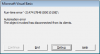
problem I am having is I get a runtime error 80010108 when I chose from a dropdown in a combobox it seems to work the first time fine but if I change the selection it errors out...must be an error in my code but I cant figure this out. below is my code (please don't judge me :( i know its not 'text book')

Code:
Private Sub ComboBox2_Change()

'populate CB3 with CB2 range.value
Dim CB2 As String
Dim MechEng As String
Dim ElecEng As String

CB2 = ComboBox2.Value
MechEng = "Mechanical_Issues_Eng"
ElecEng = "Electrical_Issues_Eng"

Me.ComboBox3.RowSource = CB2

    If ComboBox2.Value = MechEng Then
        Label12.Visible = True
        TextBox9.Visible = True
        MsgBox "Please enter the engineering reference number from the - engineering breakdown analysis record"
        TextBox9.SetFocus
       
    ElseIf ComboBox2.Value = ElecEng Then
            Label12.Visible = True
            TextBox9.Visible = True
            MsgBox "Please enter the engineering reference number from the - engineering breakdown analysis record"
            TextBox9.SetFocus
       
        Else
            Label12.Visible = False
            TextBox9.Visible = False
       
    End If

End Sub

I believe the error must be due to something in here but cant figure out another way or what needs changing.

Any help is hugely appreciated

Lewie
 
Hi ,

Whenever you report a VBA error , please do at least one of 2 things :

1. Report the code line which has generated the error.

2. Upload your workbook with the data , objects and code in it.

Narayan
 
Hi ,

Whenever you report a VBA error , please do at least one of 2 things :

1. Report the code line which has generated the error.

2. Upload your workbook with the data , objects and code in it.

Narayan

Sorry my bad! the error (de bug)goes to the userform.show part of the code the combobox is on a user form (I didn't explain this either!).

Attached should be the workbook the problem is on the Raw_Data sheet click the add new downtime button and change combobox 2 between mechanical_issues_eng & any other it will error. hope this helps explain things better, if you need any more info let me know.

Thanks for the quick reply
 

Attachments

Basically when you choose an option from CB2 that should then populate CB3's options from named ranges on a sheet called 'control_sheet' this seems to be working fine....However if the user selects either 'Mechanical_Issues_Eng' or 'Electrical_Issues_Eng' then textbox9 (and a label) should become visible.

or at least that was my plan before it all went wrong :mad:
 
Hi ,

I added 3 records without any problem.

Narayan
hhhhmmm strange, did you try selecting 'Mechanical_Issues_Eng' and then change it to 'Electrical_Issues_Eng' (in CB2) a couple of times, this seems to be where I'm having the error issue.

again thanks for the reply's on this
 
Hi ,

Sorry , but if the error is intermittent , then it is more difficult to troubleshoot.

All I can say is that if you can reproduce the error at your end , click on the Debug button , and then post here , we can troubleshoot the problem online.

I added one more record without any error.

Narayan
 

Attachments

Debug.png Debug2.png
here are some screen shots of whats going on...This time I opened the userform selected 'Mechanical_Issues_Eng' (CB2) then closed the userform by mistake using the 'close without saving' button and tried to re-open using the 'add new downtime record' button and the same thing happened. i'm very confused going to try this on another computer see if it works.

Is there a way it could be something to do with this PC? there are no other excel files open.
 
Hi ,

I tried out the same steps , without any problem !

Can you try changing the line :

Unload Me

to

Me.Hide

and see whether it makes any difference ?

Narayan
 
Yep still have the same problem, although it did take a while to debug this time, changing CB2 'close without saving' button then re-opening the userform a few times did the trick :mad:

again thank you for your time on this, I did post this to another forum yesterday but no reply's at all
 
Hi ,

I can only suggest that you try this out on some other computer , since not once have I received any error message at my end. It is possible that some Microsoft update may be the reason !

Narayan
 
I have tried on another PC and had the same problem, I think this might be a problem for future me, probably Monday me. Hopefully he can figure it out o_O

again thanks for your time on this Narayan
 
Thanks for the reply i didn't get a notification?? I just came back on to update i have sorted the problem :) (with a little help)
.rowsource was the issue changed this now to List property
Code:
'populate combobox with ranges
Me.ComboBox1.RowSource = "Shift"
Me.ComboBox2.RowSource = "Overview_Reason"
is now
Code:
'populate combobox with ranges
Me.ComboBox1.List = Sheets("control sheet").Range("Shift").Value
Me.ComboBox2.List= Sheets("control sheet").Range("Overview_Reason").Value

and

Code:
Me.ComboBox3.RowSource = CB2

is now

Code:
Me.ComboBox3.List = Sheets("control sheet").Range(CB2).Value

Only took a week to sort out :DD But all is well again now.

again thank you for taking the time to help
 
Back
Top