• Hi All

    Please note that at the Chandoo.org Forums there is Zero Tolerance to Spam

    Post Spam and you Will Be Deleted as a User

    Hui...

  • When starting a new post, to receive a quicker and more targeted answer, Please include a sample file in the initial post.

Filter and split data in to workbook as per Unique list in Source workbook

Do you really need the Output workbooks with original VBA procedures or must be saved as data only without containing any code ?​
 
In the source workbook, do you really need the worksheet 'UniqueList' ?​
As the VBA procedure can get rid of this worksheet or if you want to keep it then only the names from this list will be exported …​
 
As my question was do you need it before ?!​
If yes, the VBA procedure will export only the names from this list and​
if no this worksheet can be deleted, any name will be exported …​
 
According to your attachment an Excel basics VBA demonstration to paste only to ThisWorkbook module of Source.xlsb workbook :​
Code:
Sub Demo1()
    Dim V, W, Ws As Worksheet
        V = Evaluate("TRANSPOSE(ROW(1:" & Sheet2.Index - 1 & "))")
    With Application
        .DisplayAlerts = False
        .ScreenUpdating = False
    For Each W In Sheet2.UsedRange
        Worksheets(V).Copy
    For Each Ws In ActiveWorkbook.Worksheets
        With Ws.[A2].CurrentRegion.Rows("2:" & Ws.[A2].CurrentRegion.Rows.Count)
           .Columns(1).AutoFilter 1, "<>" & W
            If Application.Subtotal(103, .Columns(1)) > 1 Then .Item("2:" & .Count).Delete
           .AutoFilter
        End With
    Next
        ActiveWorkbook.SaveAs Path & "\Output - " & W, 50
        ActiveWorkbook.Close
    Next
        .Speech.Speak "Done!", True
        .DisplayAlerts = True
        .ScreenUpdating = True
    End With
End Sub

Do you like it ? So thanks to click on bottom right Like !
 
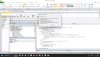
The vba gives error while saving the file.

ActiveWorkbook.SaveAs Path & "\Output - " & W, 50

have attached the error screenshot for your reference.
 

Attachments

  • Error.jpg
    Error.jpg
    489.7 KB · Views: 8
As I wrote « According to your attachment » my VBA demonstration well works under my Excel 2010 version​
but in my previous post I forgot to warn it works only with good enough readers​
so maybe you felt into the bad reader trap if you did not well read the direction to follow as your picture does not show​
if the VBA procedure is located where it must be and which codeline raises the error …​
 
Back
Top