
Jason Walsh
New Member
Hi,
I am trying to create a formula that will dynamically sum until a "pot's" capacity is reached then move to the next pot.
In table 1 ("Prices") I have Seat Price Across the Top (Low, Low/Mid, Mid, Mid/High, High) and underneath the respective prices (£30, £45, £60, £75, £90)
In table 2 ("Demand") I have demand across the top (Low, Low/Mid, Mid, Mid/High, High) and underneath the limits (30%, 20%, 35%, 10%, 5%)
In cell D10 I have the capacity (for ease lets use 100)
In cell D11 I have actual demand
In cell D12 I have the output.
So, for example, if I input into cell D11 the actual demand of 82. I want the formula to sum the first 30% of people to pay £30, then 20% people to pay £45, then 32% (as it reaches 82) of people to pay £60. Then the total is displayed in cell D12.
Apologies, I don't seem to be able to add a picture to show the tables but hope this makes sense. Any help much appreciated.
Many thanks
Jay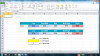
I am trying to create a formula that will dynamically sum until a "pot's" capacity is reached then move to the next pot.
In table 1 ("Prices") I have Seat Price Across the Top (Low, Low/Mid, Mid, Mid/High, High) and underneath the respective prices (£30, £45, £60, £75, £90)
In table 2 ("Demand") I have demand across the top (Low, Low/Mid, Mid, Mid/High, High) and underneath the limits (30%, 20%, 35%, 10%, 5%)
In cell D10 I have the capacity (for ease lets use 100)
In cell D11 I have actual demand
In cell D12 I have the output.
So, for example, if I input into cell D11 the actual demand of 82. I want the formula to sum the first 30% of people to pay £30, then 20% people to pay £45, then 32% (as it reaches 82) of people to pay £60. Then the total is displayed in cell D12.
Apologies, I don't seem to be able to add a picture to show the tables but hope this makes sense. Any help much appreciated.
Many thanks
Jay
