Hi,
I have below macro code which disables users to save the file. If i put this code under "thisworkbook "and close the file it doesnt let me save the macro thus when i reopen the file macro is deleted. How can i save this macro so that other users cant save the file?
Thank you
I have below macro code which disables users to save the file. If i put this code under "thisworkbook "and close the file it doesnt let me save the macro thus when i reopen the file macro is deleted. How can i save this macro so that other users cant save the file?
Code:
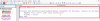
PrivateSub Workbook_BeforeSave(ByVal SaveAsUI AsBoolean, Cancel AsBoolean)

MsgBox "You can't save this workbook!"
Cancel =True

EndSub
Thank you