
You are using an out of date browser. It may not display this or other websites correctly.
You should upgrade or use an alternative browser.
You should upgrade or use an alternative browser.
Datewise extract Data
- Thread starter JAMIR
- Start date

JAMIR
Member
Hello Sir,
Thanks for help... its working... but two little requirement.
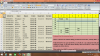
01. Vehicle No.3603 is came on 1-6-16 & no ready date & out date so, i need to show IN until its found ready date.
02. Between Ready Date & Out Date: Ready shown up to Out Date
e.g. if vehicle ready on 03-06-16 & Out on 05-06-16, then "Ready" should be shown 3-4 & Out shown on 5
Warm Regards,
Zameer
Thanks for help... its working... but two little requirement.
01. Vehicle No.3603 is came on 1-6-16 & no ready date & out date so, i need to show IN until its found ready date.
02. Between Ready Date & Out Date: Ready shown up to Out Date
e.g. if vehicle ready on 03-06-16 & Out on 05-06-16, then "Ready" should be shown 3-4 & Out shown on 5
Warm Regards,
Zameer
1] I modified range H1:AL1 into actual date setting instead of number.
2] H2, formula copy across and down :
=TEXT(0&(($E2<=H$1)*(IF($G2="",TODAY(),$G2)>=H$1)+IF($F2<>"",($F2<=H$1)*(IF($G2="",TODAY(),$G2)>=H$1),0)+($G2=H$1)-1),"[=2]\O\u\t;[=1]\R\e\a\d\y;\I\n;")
Regards
Bosco
2] H2, formula copy across and down :
=TEXT(0&(($E2<=H$1)*(IF($G2="",TODAY(),$G2)>=H$1)+IF($F2<>"",($F2<=H$1)*(IF($G2="",TODAY(),$G2)>=H$1),0)+($G2=H$1)-1),"[=2]\O\u\t;[=1]\R\e\a\d\y;\I\n;")
Regards
Bosco
Attachments

Marc L
Excel Ninja
Sorry, I asked to a very Excel beginner (schoolboy around 13 years old !)its working... but two little requirement.
as a trainning, a formula you should achieve yourself, just try !
So burning a couple of neurones, I thinked about your need for at least
a couple of seconds and less than 10 seconds after this new H2 formula :
Code:
=IF(DAY($E2)=H$1,"IN",IF(DAY($G2)=H$1,"Out",IF(DAY($F2)=H$1,"Ready",IF(COLUMN()<9,"",IF(G2<>"Out",G2,"")))))JAMIR
Member
1] I modified range H1:AL1 into actual date setting instead of number.
2] H2, formula copy across and down :
=TEXT(0&(($E2<=H$1)*(IF($G2="",TODAY(),$G2)>=H$1)+IF($F2<>"",($F2<=H$1)*(IF($G2="",TODAY(),$G2)>=H$1),0)+($G2=H$1)-1),"[=2]\O\u\t;[=1]\R\e\a\d\y;\I\n;")
Regards
Bosco
Hello Bosco
Thank you very much. Now i got what i want.
Thank you so much.....
Take Care
Regards,
Zameer
JAMIR
Member
Sorry, I asked to a very Excel beginner (schoolboy around 13 years old !)
as a trainning, a formula you should achieve yourself, just try !
So burning a couple of neurones, I thinked about your need for at least
a couple of seconds and less than 10 seconds after this new H2 formula :
Code:=IF(DAY($E2)=H$1,"IN",IF(DAY($G2)=H$1,"Out",IF(DAY($F2)=H$1,"Ready",IF(COLUMN()<9,"",IF(G2<>"Out",G2,"")))))
Hello Marc Sir,
Thanks for your valuable help.
Take care.
Warm Regards,
Zameer
JAMIR
Member
Hello Bosco1] I modified range H1:AL1 into actual date setting instead of number.
2] H2, formula copy across and down :
=TEXT(0&(($E2<=H$1)*(IF($G2="",TODAY(),$G2)>=H$1)+IF($F2<>"",($F2<=H$1)*(IF($G2="",TODAY(),$G2)>=H$1),0)+($G2=H$1)-1),"[=2]\O\u\t;[=1]\R\e\a\d\y;\I\n;")
Regards
Bosco
Could you please explain the method......
I want understand what is the logic. I didn't understand.
Please..
Regards,
Zameer