• Hi All

    Please note that at the Chandoo.org Forums there is Zero Tolerance to Spam

    Post Spam and you Will Be Deleted as a User

    Hui...

  • When starting a new post, to receive a quicker and more targeted answer, Please include a sample file in the initial post.

check blank row

delta

Member
this macro check blank cell but it check blank rows the macro is put under
Code:
Sub FillDateSenderFrom()

  For i = 1 To 3
  If Controls("TextBox" & i) <> "" Then
  If i = 1 Then
 
  Cells(Rows.Count, 4).End(xlUp).End(xlToLeft).Offset(0, i - 1).Select
 
  Range(ActiveCell, ActiveCell.End(xlUp).Offset(1, 0)).Value = Controls("TextBox" & i).Text
  Else
 
  Cells(Rows.Count, 4).End(xlUp).End(xlToLeft).Offset(0, 1).Select
 
  Range(ActiveCell, ActiveCell.End(xlUp).Offset(1, 0)).Value = Controls("TextBox" & i).Text
  End If
  End If
  Next i


End Sub
what is correct code
pls help me
------------------------------------------------------------------------------------
MOD EDIT: Added code tag.
 
Last edited by a moderator:
Delta

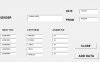
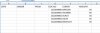
Can you please post a picture of your data before the macro and what it should look like after the macro
 
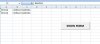
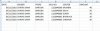
i upload excel file and also picture Before macro run and After Macro Run.
when macro is run the value of "Sender", "Date", "From" filed is ADD in sheet1 but i like to ADD in Worksheet "DATA" reason is macro find blank active cell. solution is find blank rows. pls help me
 

Attachments

  • FORM 1.xlsm
    FORM 1.xlsm
    27.2 KB · Views: 5
  • Before_Macro_Run.JPG
    Before_Macro_Run.JPG
    37 KB · Views: 9
  • After_Macro_Run_1.JPG
    After_Macro_Run_1.JPG
    31.9 KB · Views: 12
  • After_Macro_Run_2.JPG
    After_Macro_Run_2.JPG
    34.6 KB · Views: 8
Hi Use following Code
Code:
Sub FillDateSenderFrom()

  For i = 1 To 3
  If Controls("TextBox" & i) <> "" Then
  If i = 1 Then
  Worksheets("DATA").Activate
  Cells(Rows.Count, 4).End(xlUp).End(xlToLeft).Offset(0, i - 1).Select
  Range(ActiveCell, ActiveCell.End(xlUp).Offset(1, 0)).Value = Controls("TextBox" & i).Text
  Else
  Cells(Rows.Count, 4).End(xlUp).End(xlToLeft).Offset(0, 1).Select
  Range(ActiveCell, ActiveCell.End(xlUp).Offset(1, 0)).Value = Controls("TextBox" & i).Text
  End If
  End If
  Next i


End Sub
 
Sir,
Hareesh_KLD

a bit of issue is rise i need result as show in picture and also attach the excel file.
 

Attachments

  • Capture.JPG
    Capture.JPG
    40.3 KB · Views: 7
  • FORM 1.xlsm
    FORM 1.xlsm
    26 KB · Views: 1
Back
Top