Hello,
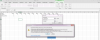
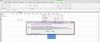
I have series of monthly values and need to create a bar chart, where quantity of bars will be a value stored in a cell - i.e. if the value in the cell is 2 then the chart should show just two bars, while if the value in cell is 5 then the chart should show five bars, etc. I would like that the chart is dynamic and be of adjustable width. I unsuccessfully tried to set dynamic chart data range in Select Data Source window using offset and address functions. Is there a solution to this problem?
I have series of monthly values and need to create a bar chart, where quantity of bars will be a value stored in a cell - i.e. if the value in the cell is 2 then the chart should show just two bars, while if the value in cell is 5 then the chart should show five bars, etc. I would like that the chart is dynamic and be of adjustable width. I unsuccessfully tried to set dynamic chart data range in Select Data Source window using offset and address functions. Is there a solution to this problem?