Hi all, i am looking vba code for assigning seat numbers for example 1, 2, ... 29,30. The first criteria is the maximum aged person should get seat number 1 and his partner should get seat number 2. (The partner age is not considered here). Again, the vba code to search for next highest aged person and assign his seat number as 3 and his partner's seat number as 4. Some people may also be single. This process should continue till given data. We have introduced GRN column to find out their respective partner.

You are using an out of date browser. It may not display this or other websites correctly.
You should upgrade or use an alternative browser.
You should upgrade or use an alternative browser.
Assigning Seat Number
- Thread starter Loki
- Start date

Marc L
Excel Ninja
Hi, according to your attachment a VBA hammer demonstration for starters :
Code:
Sub ThorDemo1()
    Dim C, D, R&, S&, P, V
        Application.ScreenUpdating = False
    With [A1].CurrentRegion.Columns
      .Sort .Item(2), 2, .Item(3), , 1, , , 1
        C = .Item(3).Value2
        D = .Item(4).Value2
    For R = 2 To .Rows.Count
        If IsEmpty(D(R, 1)) Then
                S = S + 1
                D(R, 1) = S
                P = C(R, 1)
                C(R, 1) = Empty
                V = Application.Match(P, C, 0)
            While IsNumeric(V)
                S = S + 1
                D(V, 1) = S
                C(V, 1) = Empty
                V = Application.Match(P, C, 0)
            Wend
        End If
    Next
       .Item(4).Value2 = D
       .Sort .Item(4), 1, Header:=1
    End With
        Application.ScreenUpdating = True
End Sub
Do you like it ? So thanks to click on bottom right Like !
Thank you, Sir Great, But I have another factor that if any single customer, then we allot him two seats, ex 3 & 4 or 7 & 8 depends on his criteria age.
Another factor is that we have another many column in a sheet, If you see the attachment file then you will come to know sir then for that i need VBA codes.
Thank you for your support.
Another factor is that we have another many column in a sheet, If you see the attachment file then you will come to know sir then for that i need VBA codes.
Thank you for your support.
Attachments

p45cal
Well-Known Member
You do move the goalposts, don't you?
In the attached:
There's a button at cell I1 which
In the attached:
There's a button at cell I1 which
- runs a macro blah which
- relies on your table being a proper Excel table (done in the attached)
- relies on the column names remaining the same (only the Age, GRN and Seat Number columns matter)
- People without a GRN are treated as single
- Nothing is changed in the table by the macro except the Seat Number column
Attachments
Last edited:
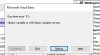
Hi, thanks for your codes but the macro runs fine on the file in which macro enabled (i mean the file attached by you) but when i use the same macro code for another file the macro shows many errors for each line, the sample error mgs screen shot is attached. And another work file is attached for your reference.
Thank you for your support and co-operation looking forward.
Thank you for your support and co-operation looking forward.
Attachments
p45cal
Well-Known Member
Your file with your data made into a proper Excel table attached.relies on your table being a proper Excel table (done in the attached)
Attachments
Hi Sir, the file attached with the codes works perfectly but when I copy the same codes and insert in another file the codes don't execute. So i need generalized codes where i can paste into n no of files and execute them. Thanks, looking forward for your support. I have attached the codes which i written for my file execution last step is that assigning seat number for customer where i have gotten struck. where i am seeking help. I am not an expert in these codes learnt from seeing YouTube videos.
Attachments
p45cal
Well-Known Member
Which column(s) of the table on the MasterSheet are guaranteed not to have any blanks in at all, ever (for the extent of data in the table)?
If you can reply 'Column A' that would be good, but it doesn't really matter which column. I'll write a couple of lines of code to make the table into a proper Excel table without blank rows at the bottom.
If you can reply 'Column A' that would be good, but it doesn't really matter which column. I'll write a couple of lines of code to make the table into a proper Excel table without blank rows at the bottom.
p45cal
Well-Known Member
That is, every cell in that column will always have some value in it, ALWAYS, for the extent of the data in the table. This is so I can reliably determine the size of the range that needs to be converted to a table.Which column(s) of the table on the MasterSheet are guaranteed not to have any blanks in at all, ever
p45cal
Well-Known Member
First you said:
Replace the blah macro with this one, BUT you may need to adjust the line:
lr = .Range("A2").End(xlDown).Row
by changing the A to another letter which the column letter of a column in your table which never ever has blanks in, right to the bottom of the data.
then you saidHi Sir, Column A will be blank on Master sheet
will never have a blank!!!?Column A, Sir
Replace the blah macro with this one, BUT you may need to adjust the line:
lr = .Range("A2").End(xlDown).Row
by changing the A to another letter which the column letter of a column in your table which never ever has blanks in, right to the bottom of the data.
Code:
Sub blah()
Dim SeatNos()
With Sheets("MasterSheet")
  Set LObj = .Range("A2").ListObject
  If LObj Is Nothing Then
    lc = .Range("A2").End(xlToRight).Column
    lr = .Range("A2").End(xlDown).Row
    Set LObj = .ListObjects.Add(xlSrcRange, .Range("$A$2", .Cells(lr, lc)), , xlYes)
    LObj.TableStyle = ""
  End If
End With
Ages = LObj.ListColumns("Age").DataBodyRange.Value
GRNs = LObj.ListColumns("GRN").DataBodyRange.Value
ReDim SeatNos(1 To UBound(Ages), 1 To 1)
sn = 0
For i = 1 To UBound(Ages)
  maxAge = Application.Max(Ages)
  rw = Application.Match(maxAge, Ages, 0)
  If Not IsError(rw) Then
    GRN = GRNs(rw, 1)
    NoInGrp = 0
    Do Until IsError(rw)
      sn = sn + 1
      NoInGrp = NoInGrp + 1
      SeatNos(rw, 1) = sn
      GRNs(rw, 1) = Empty
      Ages(rw, 1) = Empty
      rw1 = rw
      rw = Application.Match(GRN, GRNs, 0)
    Loop
    If NoInGrp = 1 Then
      sn = sn + 1
      SeatNos(rw1, 1) = SeatNos(rw1, 1) & " & " & sn
    End If
  Else
    Exit For
  End If
Next i
LObj.ListColumns("Seat Number").DataBodyRange.Value = SeatNos
'LObj.Unlist 'enable this if you don't want the Excel table.
End Sub